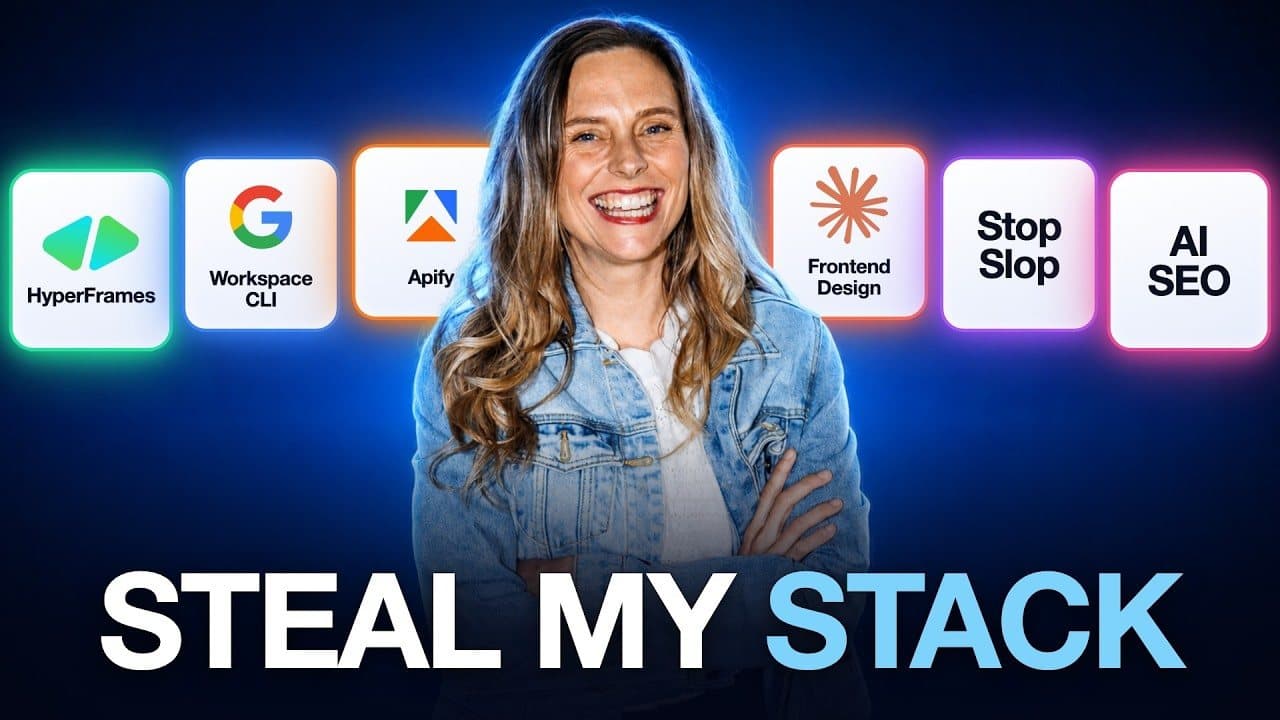
Of the thousands of GitHub repos for Claude, these are the 10 I've kept: Google Workspace CLI, the Apify MCP server, Playwriter, Claude Video, Stop Slop, HyperFrames, Frontend Design, Ryan Doser's AI SEO System and two skills I built myself. Don't install all of them. Pick the one that fixes your biggest problem right now.
To be exact about the "10 GitHub repos" in my video title: seven are public GitHub repos (Frontend Design sits inside Anthropic's official plugins repo). Ryan's AI SEO System is a paid product on his own site, and my two skills live inside the Wright Mode membership. Where something costs money, I say so.
Most repos get installed once, feel productive for an hour and never get opened again. I've been through hundreds. These are the ones I actually use in my business right now. For each one you get what it does, how I use it and the catch, because every single one has a catch.
The 10 at a glance
| Tool | Use it when | The catch |
|---|---|---|
| 1. Google Workspace CLI | You want Claude Code, Codex or your own agent working in Gmail, Drive, Calendar, Docs and Sheets | Needs a Google Cloud project to log in. One Google account only. Not an official Google product. |
| 2. Apify MCP server | A website won't let Claude in (Instagram, TikTok, online stores) | Scrapers run on Apify's servers, so usage costs money after the free allowance |
| 3. Playwriter | A tool has no API or MCP, but it does have a website | It clicks inside your logged-in accounts, so start with low-risk jobs |
| 4. Claude Video (/watch) | You want Claude to watch a video, for research or to check an edit | Long videos mean loads of frames and heavy Claude usage |
| 5. Stop Slop | Your emails and captions sound like AI | The hard part is the habit of using it |
| 6. HyperFrames | You want Claude to build motion graphics and videos from web code | Vague briefs get generic results |
| 7. Frontend Design | You're building websites with Claude | It's a starting point, so give it your brand |
| 8. Ryan Doser's AI SEO System | You want your business named in AI answers | A paid product, and not a GitHub repo |
| 9. My explainer carousel skill | You want branded carousels with real logos and screenshots | Needs real set-up time to look like your brand |
| 10. My shorts and blog skills | You film one long video and want shorts and a blog post from it | Not public repos: both live inside Wright Mode |
Before you install any of them
GitHub is like Google Drive, but for code. A repo is a folder full of files someone has shared with the internet. You tell Claude Code to install it and it handles the rest. If you're brand new to Claude Code, start with Claude Code for non-technical users.
Make sure you get Claude to check the repo before it installs anything. Something like:
Read this repo before we install anything: [link]. Tell me what it does, what it needs on my computer, what it can access (files, accounts, browser) and anything that looks risky.
That's a sense check, not a security audit. Stick to repos from makers you can trace.
1. Google Workspace CLI: Claude Code working in your Gmail, Drive and Calendar
The Google Workspace CLI lets Claude connect to your Gmail, Drive, Calendar, Docs and Sheets. A CLI is a command line interface, which is a fancy way of saying an agent can work directly with the tool.
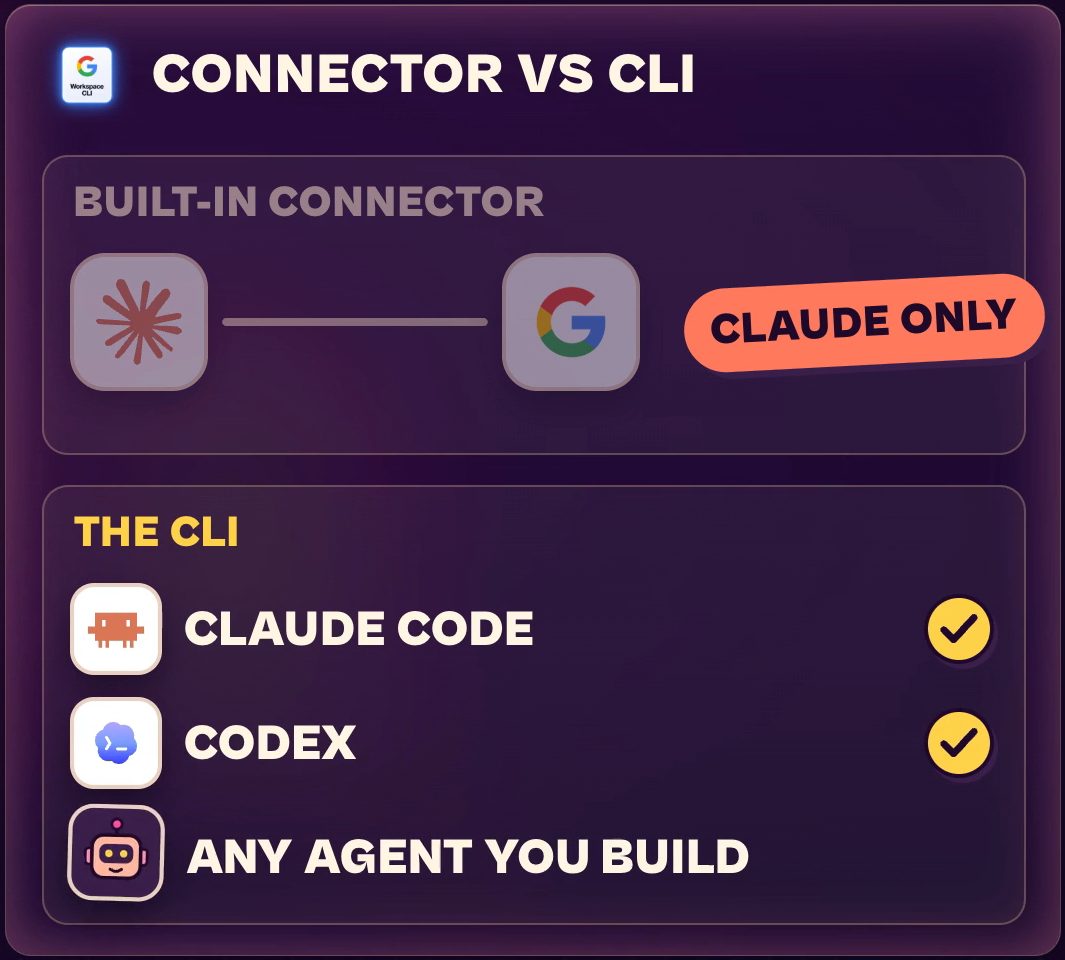
Claude does have a built-in Google connector. The difference is that the connector only works inside Claude, while the CLI works with Claude Code, Codex and any agent you build. That's why I think it's so much more powerful. (If you haven't set up the built-in version yet, here's how Claude connectors work with Gmail and Calendar.)
Every time I run a member call, the replay gets uploaded and Claude logs it straight into my Google Sheet. I don't touch it. It's also how my personal assistant agent manages my email, flagging every day the messages that actually need my attention. For your business, think weekly reports, follow-up emails, an email triage officer, and pulling numbers out of the spreadsheet you hate opening.
The catch: it needs a Google Cloud project so it can log in, which sounds scary. I'd call it about 10 minutes to set up (that's my own estimate, not an official figure) and Claude will walk you through it. If clicking around Google Cloud still feels like too much, No. 3 below can do the clicking for you.
Two more things I checked on 14/10/2026. The readme says it's not an officially supported Google product, even though it sits under the Google Workspace name on GitHub. And it signs in as one Google account: the repo removed multi-account support on 06/03/2026, so if you manage several Gmail accounts, test that before you build on it.
2. Apify MCP server: for websites that won't let Claude in
Some websites just won't let Claude or Codex in, including Instagram, TikTok and heaps of online stores. Claude goes to have a look and comes back with an empty page. The Apify MCP server fixes that by connecting Claude to thousands of ready-made scrapers built for exactly those sites.
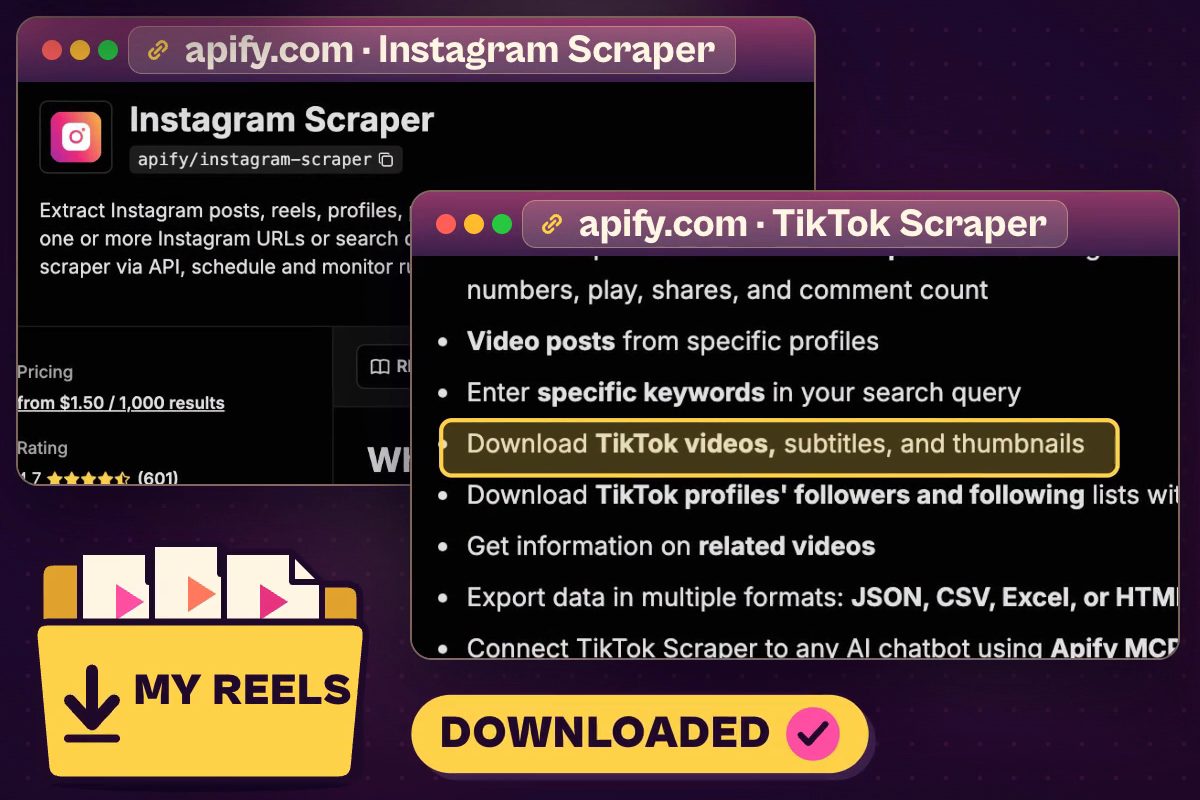
I use it when I travel. I've got a system that finds my best-performing reels and reposts them for me while I'm away, so I don't have to worry about content if I haven't batched anything. Apify is the bit that goes and grabs the actual video files and downloads them. You can use it for competitor research too: pull the top posts from five accounts in your niche into a spreadsheet for inspiration and ideas. I walk through connecting Apify to Claude Cowork in the social media metrics dashboard.
The catch: Apify's scrapers run on Apify's servers, so you pay for what you use. On 14/10/2026 Apify's pricing page showed a free plan with US$5 of usage a month, and paid plans starting at US$19 a month (the Starter plan, plus pay-as-you-go usage). Each scraper has its own price, so check it before you run one. Apify's readme also points you to its hosted server at mcp.apify.com for the best experience.
If you want to try it, here's my Apify affiliate link. It's an affiliate link, so I may earn a commission if you sign up through it.
3. Playwriter: Claude using your own logged-in Chrome
Playwriter lets Claude use your actual Chrome browser. The difference is that it uses the Chrome you're already logged into, and that matters more than it sounds. Heaps of tools we use as business owners have no API and no MCP for AI to plug into, but they all have a website.
When I publish on Substack, Claude grabs the article I've written, opens Substack in my browser and puts it straight into the editor. It then inserts all the YouTube links that go with the article and hits publish for me. And remember the Google Cloud setup in No. 1? Playwriter can click through those screens for you.
Playwriter is a Chrome extension plus a command line tool. Its readme (checked 14/10/2026) has you install the extension from the Chrome Web Store and click its icon on a tab (it turns green once it's connected), then your agent can drive that tab.
The catch: it's clicking inside your logged-in accounts. Only start with jobs you'd happily give a brand-new assistant, and watch the first few runs. Once you're happy with how it handles a job, turn it into a skill that uses Playwriter to do that task for you. I explain how to chain skills like that in Claude skill systems.
4. Claude Video: Claude that can actually watch a video
Claude Video, built by Brad Bonanno, gives you a command called /watch. Claude can't normally watch videos. This one downloads the video, pulls out all the frames, transcribes the audio and hands the lot to Claude to look at.
I use it for research. When a video in my space takes off, I want to know why, so Claude watches it and tells me what the hook did, what's happening on screen at that point and why people stayed. It's also great for video editing. You can have Claude loop, watch the edit and check that nothing's sitting over your face, and it only shows you the edit once it's happy with its own work.
The catch: a long video means loads of frames, and that eats into your Claude usage. A short clip is cheap. A two-hour webinar will cost you a lot of tokens. The readme also says /watch works in Claude Code (and with Codex and other agent skill tools) but not in Claude Chat or Cowork, so you need to be in a Code session.
5. Stop Slop: take the AI tells out of your writing
Stop Slop, built by Hardik Pandya, is one of my favourites. You know when you read a caption and think, man, that is AI slop? Stop Slop is a list of those patterns and tells, and Claude checks your writing against it.
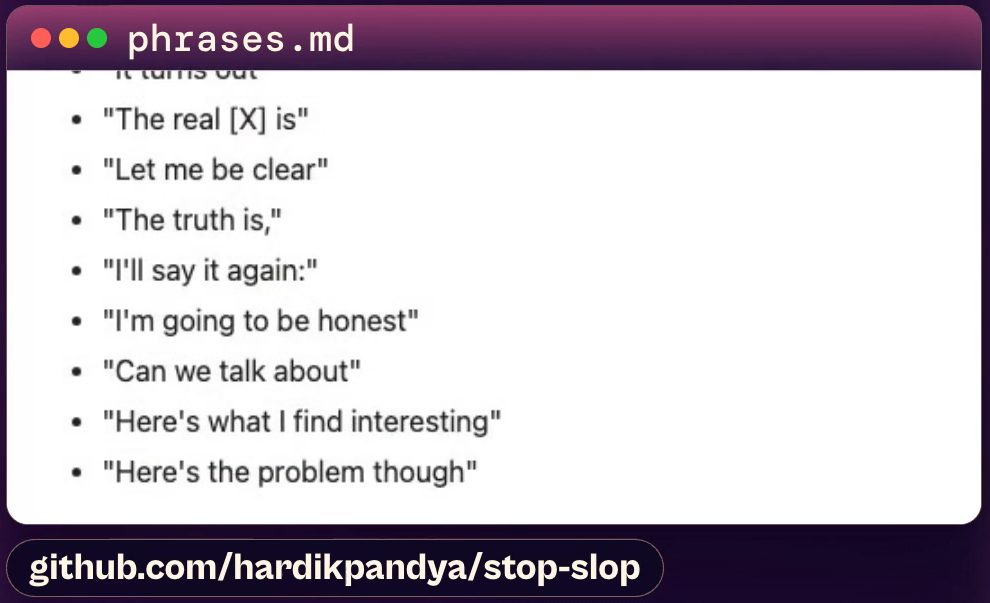
I did a reel a while back on the Humanizer skill, which does a similar job, but Stop Slop is the one I keep going back to. Every email and caption I write gets run through my Stop Slop skill. It keeps my tone and takes out the AI slop.
If you only install one thing from this list, I'd make it this one. It's a small skill (a core SKILL.md plus a few reference files, going by the repo).
The catch: the hardest part is getting in the habit of using it.
6. HyperFrames: Claude builds your videos from web code
HyperFrames, made by HeyGen, is another favourite. Claude is a fantastic video editor now. You tell Claude what you want, it builds the video out of web code, and HyperFrames turns that into a real MP4 on your computer. Most of the motion graphics and the picture-in-picture in the video at the top of this page were built with it (some of the overlays came from Remotion, which does a similar job).
People always ask me whether to use HyperFrames or Remotion. Honestly? Pick one. They do similar jobs, though I find HyperFrames more user-friendly when you're starting out. You don't need any editing experience. You just need to be able to drive the creative direction.
The catch: be specific. "Make it look good" gets you something generic. Give it your brand colours, your fonts and examples of things you love. Its readme also lists Node.js 22 or newer and FFmpeg as requirements (checked 14/10/2026), which is another good reason to get Claude to check before it installs.
7. Frontend Design: stop your websites looking like everyone else's
Frontend Design is one of Anthropic's own plugins, and you'll find it in Anthropic's official plugins repo. It's the tip I give everyone who is vibe coding websites with Claude: install this first. It makes a huge difference to how your sites come out.
Without it, you get the same purple gradient look as everyone else. With it, Claude actually makes design decisions about spacing, type and a bit of personality. Here's how I built a sales page with Claude Code if you want to see that kind of build end to end.
The catch: it's a starting point. If you've got a brand, give it your brand, or it'll just pick one for you.
8. Ryan Doser's AI SEO System: getting your business named in AI answers
Time for a shout-out to my mate Ryan Doser. If you've spent any time in SEO you probably know his name, and if you don't, you should. He's someone I trust on this stuff. He once looked at one of my blog posts and a skill I'd built and told me straight: the content was good, but it wouldn't rank long term without backlinks and mentions from other sites. I had no idea about any of that. That's the kind of honesty I want in my tools, and it runs all the way through his AI SEO System.
Here's why I care. I think more and more people don't search the old way any more. They ask ChatGPT, or they read the AI answer at the top of Google. Ryan's system is about getting your business named in those answers. The way I describe it in the video: you add it to Claude Code or Codex and say "get me started", it asks about your business, audits your site and walks you through a plain-English fix list. You don't need to know anything about SEO to use it.
The catch: it's a paid product, so check Ryan's page for the current price and licence terms before you buy. I bought it myself and I've been using it. In the video I said I've seen excellent results, and that's my own experience.
9. My explainer carousel skill: branded carousels in your own style
Full disclosure: I built the last two. First, my explainer carousel skill. You've seen the carousels with a photo on the front, a list of tools with their logos, a screenshot, and a call to action at the end. This skill builds them in your brand, with your colours and your own photos. I've also made some really cute pixel-art versions with it.
I built it because I wanted something that looked like my brand and broke up the feed. Everyone was making carousels with Claude and they all looked the same. In my experience these ones perform really well.
You can get this skill inside Wright Mode, my membership for women running their businesses with AI.
The catch: you need to take the time to set it up so it looks like your brand. Spend the time on the details of your look and give Claude or Codex your photos, otherwise you'll get average results.
10. My shorts and blog skills: film once, get both
No. 10 is actually two skills that work together. The first takes a long video like this one and finds the best moments for shorts, then turns them into clips with a really good hook at the start. The second turns the same long-form video into a blog post that's properly set up for Google.
I film once and it turns into a handful of shorts and a blog post, so one piece of content goes a lot further. If you want to see the next step of that idea, here's how I turn one video into scheduled posts. Both skills are included in Wright Mode.
Where to get them: these two aren't public repos. They live inside Wright Mode.
Which one should you install first?
Please don't install all 10 today. You'll just end up overwhelmed. Pick the one that solves the biggest problem in your business right now.
If your writing sounds like AI, start with Stop Slop. If you live in Google Docs and Google Calendar, start with the Google Workspace CLI. If a website keeps blocking Claude, try Apify. If you're building a website, install Frontend Design first.
The GitHub repos are free and anyone can install them. What's worth something is the system you build around them for your own business.
FAQ
Do I need to be technical to install a GitHub repo for Claude Code?
Not much. A repo is just a folder of files someone has shared, and I tell Claude Code to install it and let it handle the rest, after asking it to check the repo first. A few need extra steps: No. 1 needs a Google Cloud project and No. 3 needs a Chrome extension. Claude can walk you through those.
Are these repos free?
The seven GitHub repos are free to install. Apify charges for scraper usage after its free allowance, Ryan Doser's AI SEO System is a paid product, and my two skills are inside the Wright Mode membership.
Is the Google Workspace CLI an official Google product?
No. Its readme says it's not an officially supported Google product, even though the repo sits under the Google Workspace name on GitHub (checked 14/10/2026).
Can the Google Workspace CLI manage more than one Google account?
Not when I checked on 14/10/2026. The repo removed multi-account support on 06/03/2026. If you need several accounts, test that setup before you build anything on it.
Is it safe to let Claude click around my browser with Playwriter?
It depends on the job you give it. Playwriter acts inside accounts you're logged in to, so treat it like a new assistant: start with jobs you'd happily give someone brand new, and watch the first few runs before you hand it anything bigger.
Build the system around the repos
Picking the repo is the quick part. What saves you time is the job you give it, and that's what we build inside Wright Mode, including the two skills from this list.