Build a weekly social dashboard by connecting a data source, saving dated results and scheduling a report. Use public scraped fields for public counts; use authorised account analytics for private metrics such as reach. Check a sample in the original platform before choosing next week’s content.
If you're still opening Instagram, tapping inside, and squinting at numbers you don't know what to do with every single week — we need to talk.
I built something in Claude Cowork that pulls all of my Instagram and TikTok metrics automatically every Sunday night. I don't touch it. I don't open an app. I wake up Monday and it's just there waiting for me.
The recorded build took about ten minutes after setup. Useful comparisons require saved weekly snapshots; Claude cannot reconstruct missing history just because a task has been scheduled.
What you're actually building
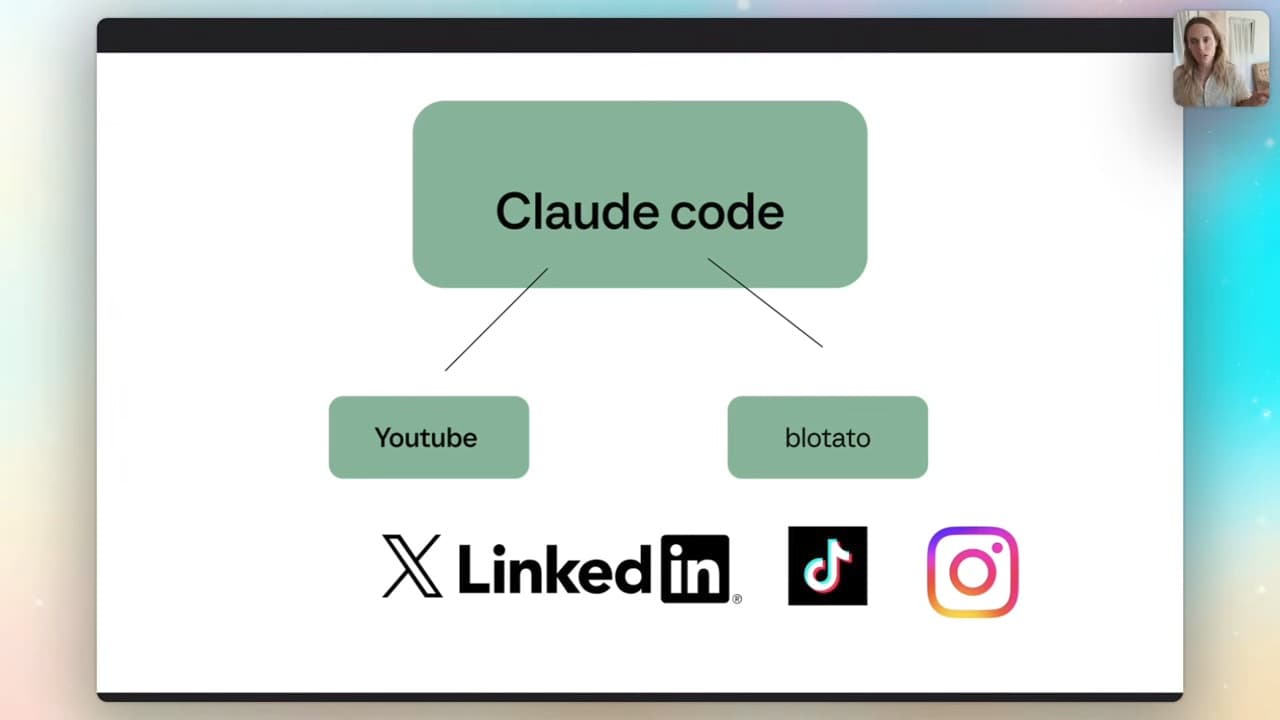
Here's the shape of it. You connect a tool called Apify — basically a web scraper — to Claude Cowork. Apify pulls in your Instagram and TikTok data, and Claude turns it into a dashboard you can actually read.
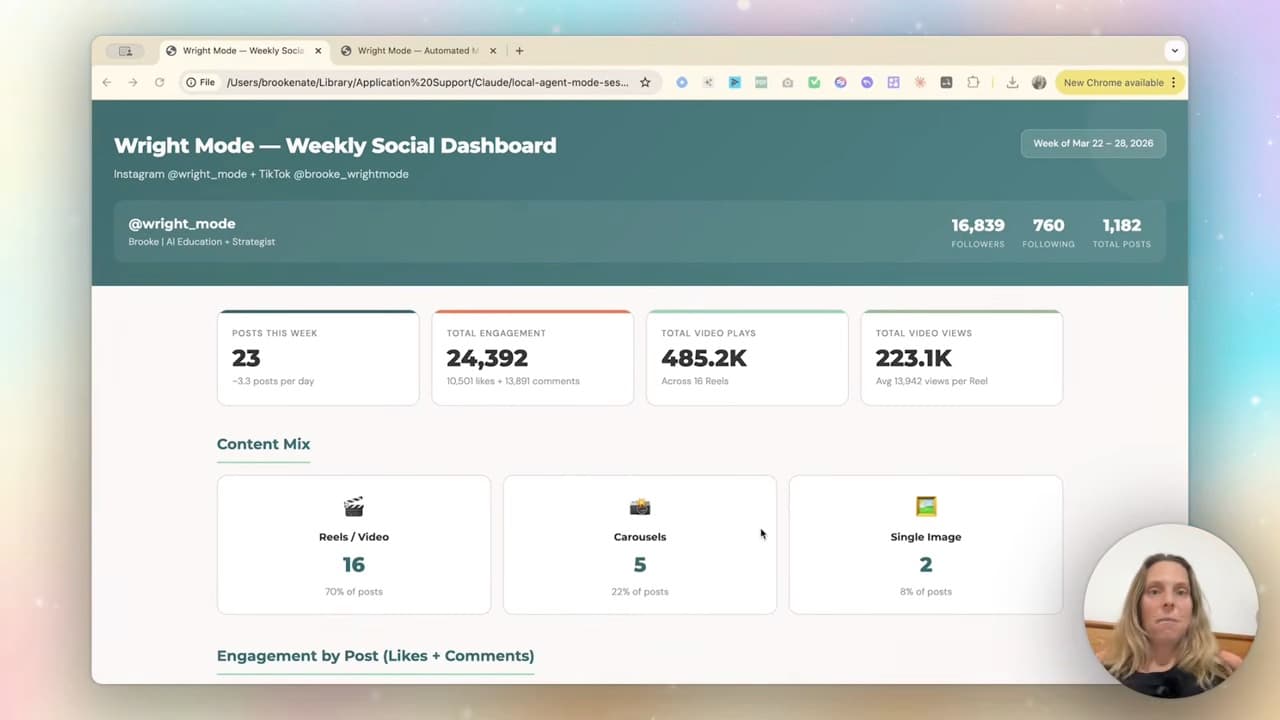
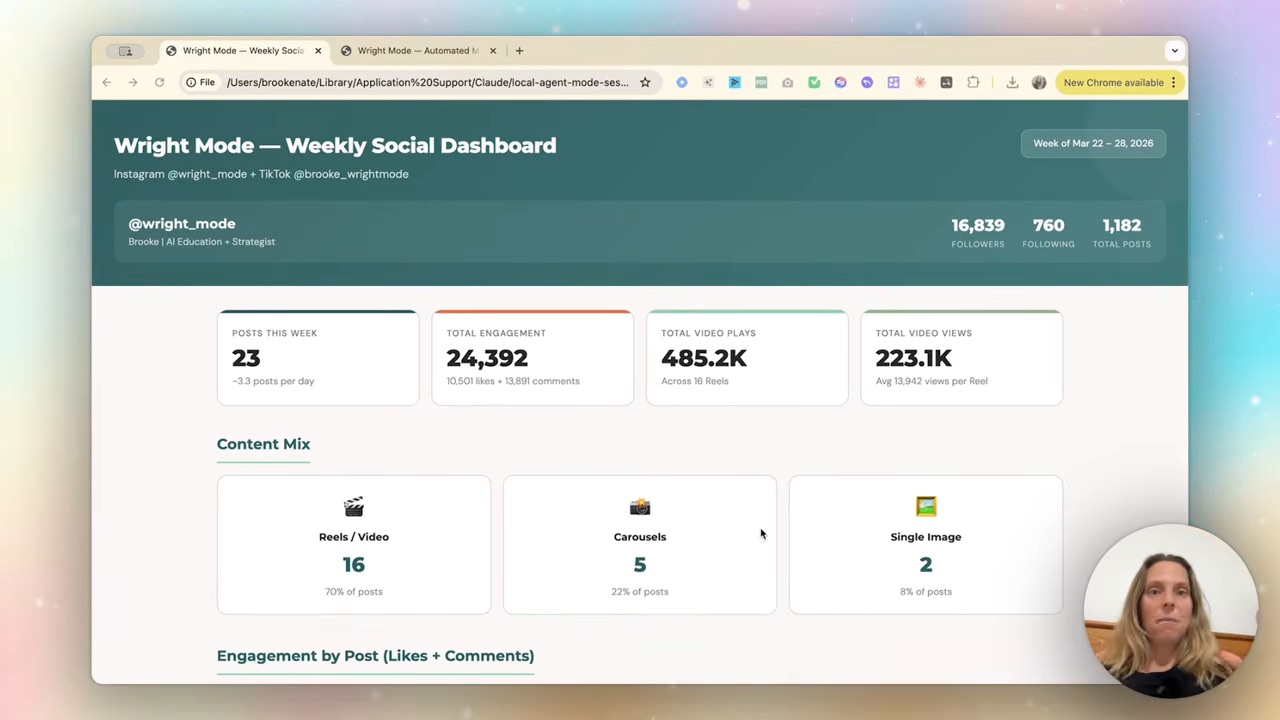
By the end you've got a branded metrics dashboard that updates itself every week. Followers, total engagement, video plays, your content mix broken down by reels, carousels and single images, and your top-performing posts. No app, no manual export, no squinting.
For client accounts, confirm permission and estimate each account’s usage separately. More accounts mean more fetches, storage and checks.
Step 1 — Set up Apify
Start with Apify’s current plans and your chosen actor’s price. Budget for that usage plus Claude access; the recording’s rough estimate is not a current all-in quote.
Once you're in, you need an actor (Apify's word for a scraper). Go to the Apify Store — it's a marketplace of web scrapers — and grab the ones built and maintained by Apify, because they're reliable. I use the Instagram scraper and the TikTok scraper.
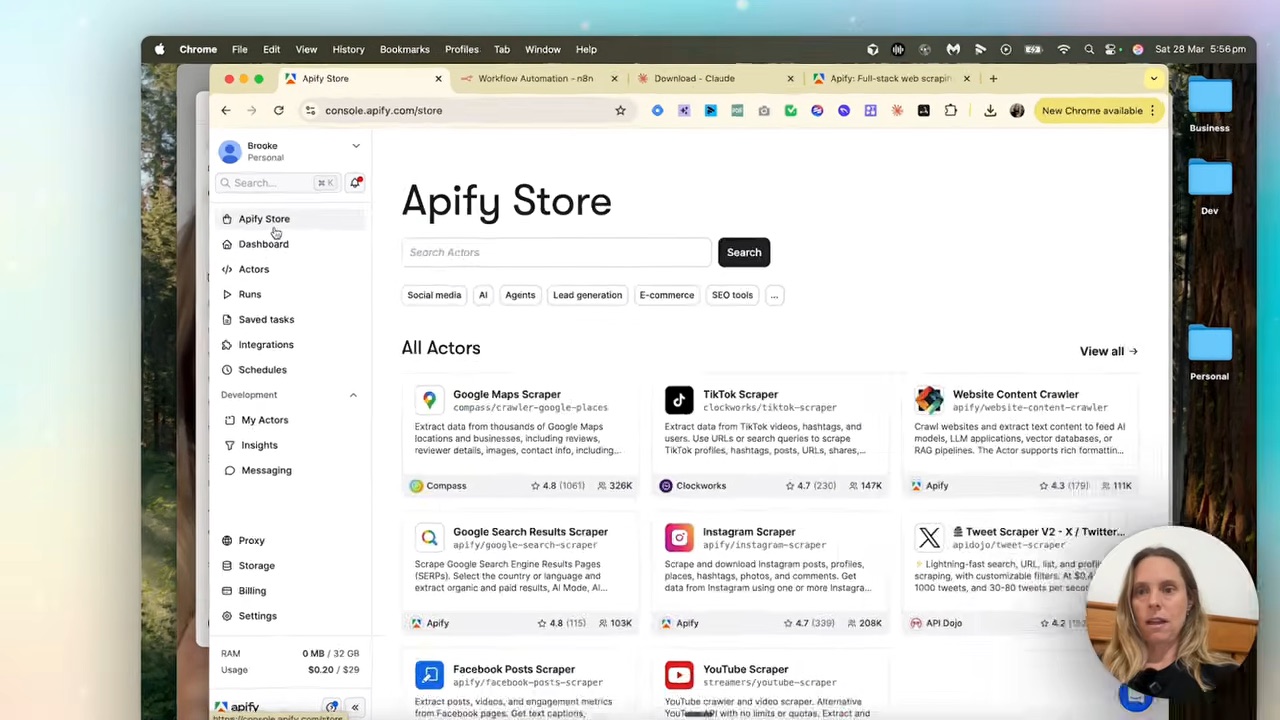
Setting one up is just filling in a form. Pop in your username, choose what you want to scrape (I just want profile data and posts), set a limit if you like, and save. Then go to settings, across to APIs, and hit create new token. You'll need that token in a second.
Step 2 — Connect Apify to Claude Cowork
Open Claude Cowork, go to customise, then connectors. Hit the plus, browse, and search for Apify.
This is all running on MCPs — model context protocol. Think of it as a USB-C connector between the tool you're working in and Claude. You don't need to understand the wiring; you just plug it in.
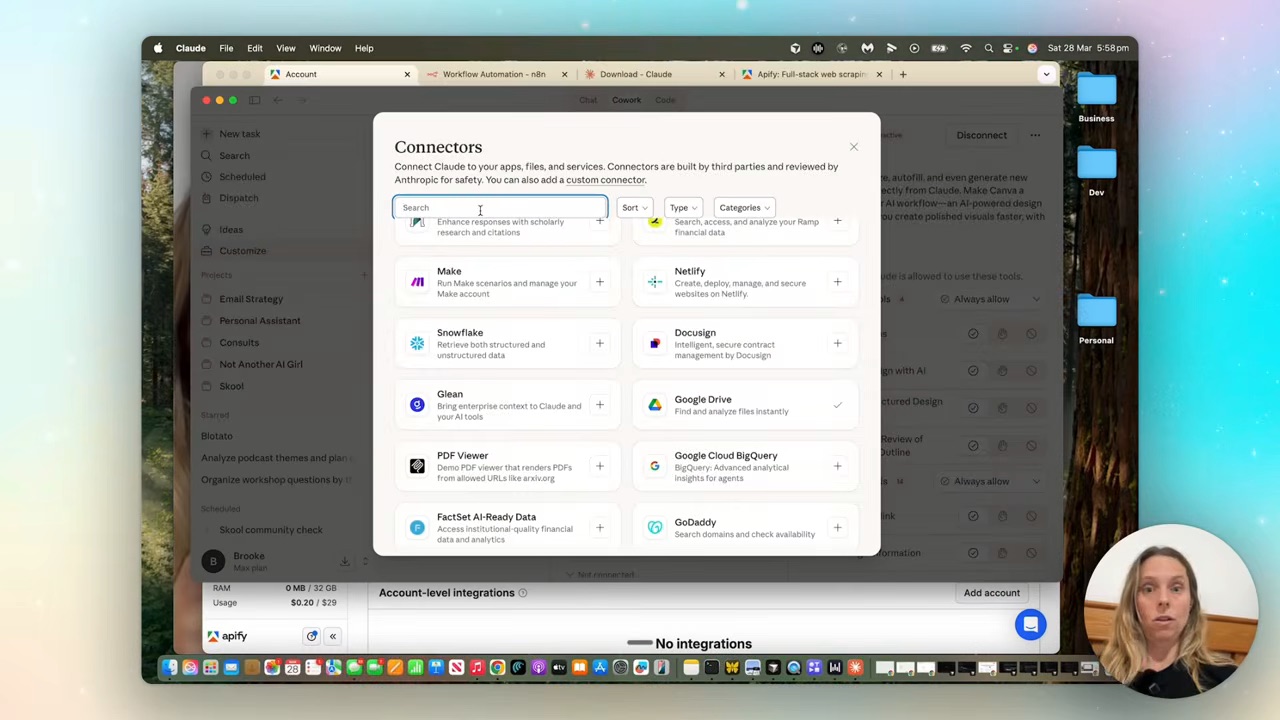
Paste in the Apify token, then tell it which actors it's allowed to use — copy the scraper names out of Apify and paste them into the enabled tools. Save. Now Claude can reach your social data on its own.
Step 3 — Put it on a schedule
This is the bit that separates Cowork from regular chat. In chat, you'd have to trigger the scrape manually every time. In Cowork, you schedule it.
Start a new task, hit forward slash, and pick schedule. Then describe what you want in plain English:
"Pull my Instagram and TikTok metrics weekly on a Sunday, and present them in a branded HTML dashboard for me. Just update the dashboard each week."
Set it to run weekly, hit save, then hit run now once so it does a first pass. It may ask for permission to use the connectors — say yes.
Two honest hot tips from when mine misbehaved: if it tries to search the web instead of using the scraper, just say "use your Apify connector" and it sorts itself out. And always include your actual handle in the task — I forgot my TikTok handle once and it got stuck until I told it.
Step 4 — Let it get smarter
Before interpreting results, define each metric: follower count is an account snapshot; likes and comments are post totals; reach and impressions are different measures and may require authorised account access. Store the date range and denominator for any rate. My live-dashboard data check shows how duplicate rows can make plausible numbers wrong.
The first dashboard already gives you real insight. Mine showed my TikTok saves-to-likes ratio was nearly one to one — which told me my educational content was landing. It breaks down your top five posts and what's working, across both platforms.
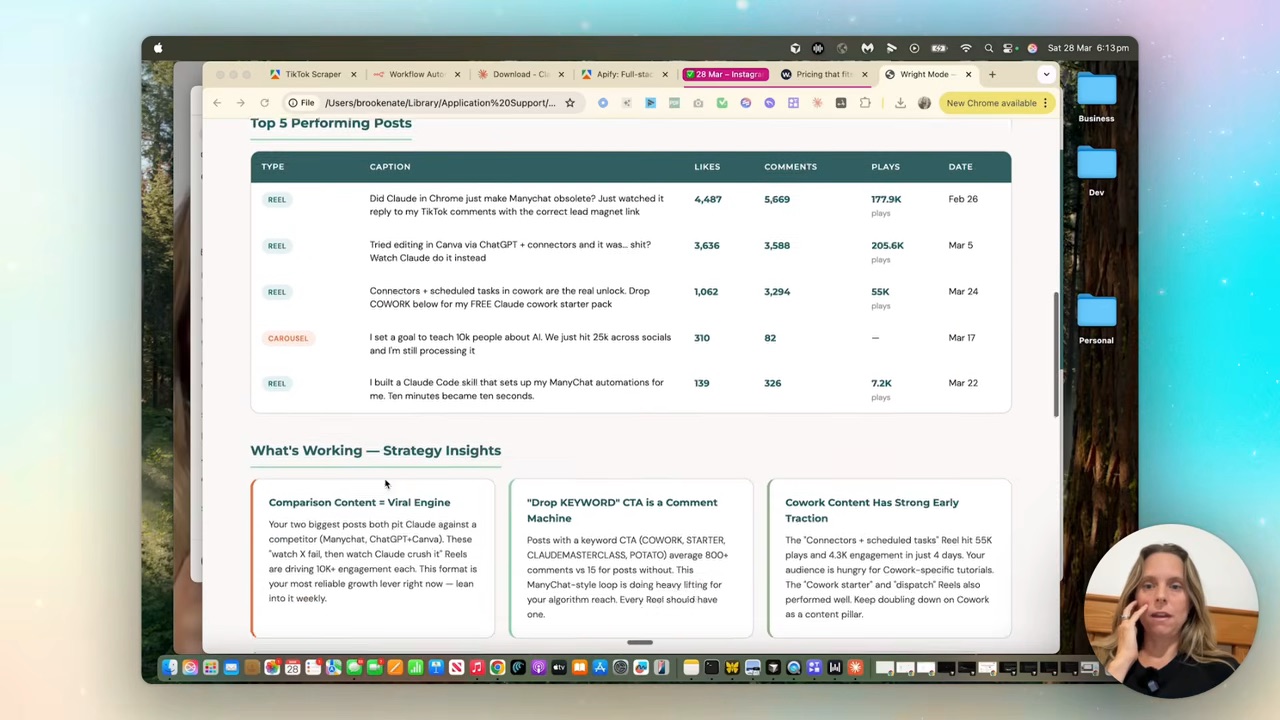
Save each run with its date range, account, source and last successful fetch. Ask Claude to compare those saved files and verify that the new snapshot was written before ending the task. Missing weeks stay missing; they must not become zeroes.
It stops being a report and becomes a content strategist that's been watching your numbers for months. If you want the bigger picture on wiring tools together like this, my Claude skill systems post goes deeper on the architecture. And if you're not sure whether you even need a system like this yet, start with AI strategy vs just using AI.
FAQ
How much does an automated social media metrics dashboard cost to run?
The total depends on your Claude plan, Apify actor usage, number of accounts and run frequency. Check both providers’ current pricing linked above and your first run’s usage. The two subscriptions and any usage charges must be counted together.
Do I need to know how to code to build this?
No. You set up Apify by filling in a form, connect it to Cowork with a copy-paste token, and schedule the task in plain English. Claude does the building and the scraping; you just describe what you want.
Can I build this dashboard for clients?
Yes. The same setup works per account — connect their handles, schedule the weekly scrape, and you've got a branded dashboard you can hand over or send as a PDF. It's a genuine service you can offer on top of your own use.
Why use Claude Cowork instead of Claude chat for this?
Cowork supports scheduled tasks, which is useful for recurring collection. Historical comparisons still need dated records that the task saves and can retrieve; memory alone is not a data store.
I build a workflow like this most weeks, and every single one lands inside the Wright Mode membership — templates, tools, live trainings, and me when you're stuck. There are dozens of women in there building this stuff together. Come join us, and your social analytics can be the first thing you stop doing by hand.