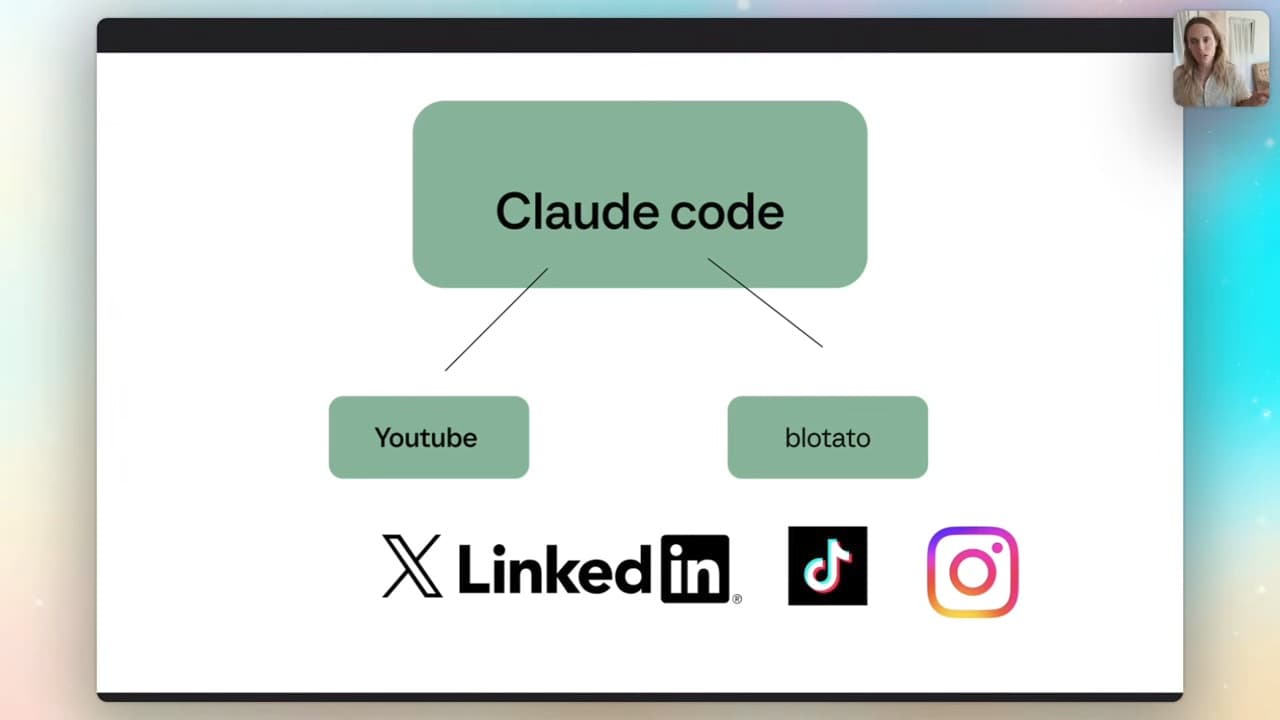
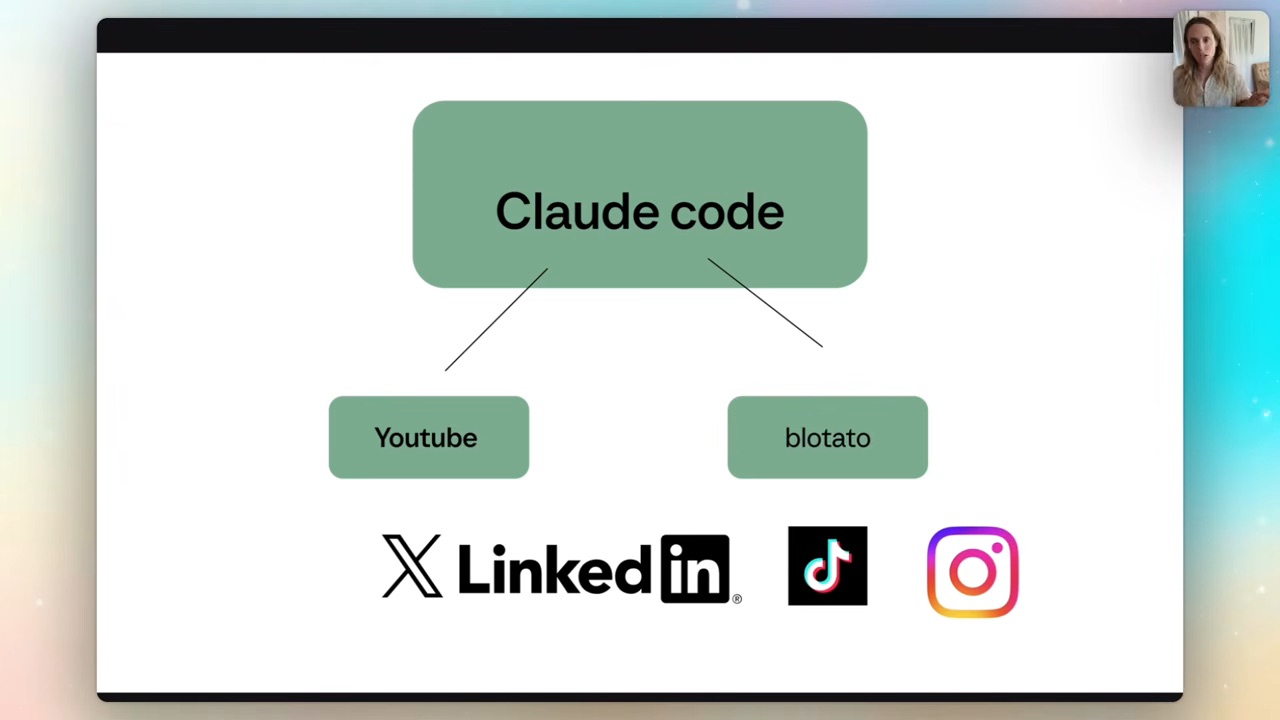
Use one video transcript to draft several distinct angles, build the approved assets, then review each finished post before scheduling. My setup connects Claude Code to Blotato. Keep the source video and final submission IDs together so retries do not create duplicates.
Every time you film a YouTube video or a podcast, you're leaving about 20 pieces of content on the table.
Carousels, captions, an email, all of it scheduled across Instagram, LinkedIn, TikTok, X and Threads. Most people either skip it entirely, spend half a day building it by hand, or pay a VA to do it.
My successful recorded run took under ten minutes after setup; review and troubleshooting add time. One video in, a week of content out.
What the system actually does
You drop in a YouTube URL. In my setup it retrieves available captions. That depends on transcript availability and the retrieval method; if it fails, use an authorised transcript or transcribe your own recording. Then Claude reads the content, finds three or four distinct carousel angles, writes the slides, writes platform-specific captions, builds the actual carousels inside Blotato, and schedules them out with an 18-hour stagger so you're not flooding your feed.
It also drafts an email. You can fire that off to your email software, or — like I do — send it to a Notion dashboard ready for review later.
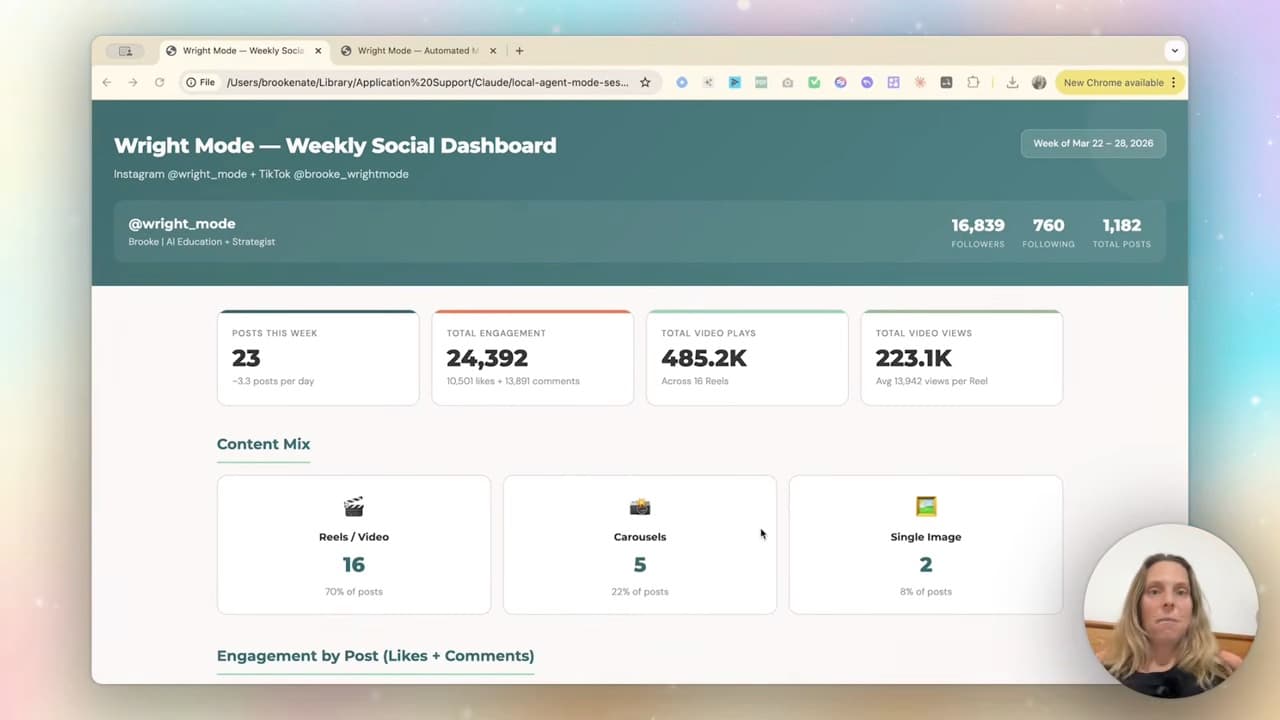
One video becomes multiple pieces of content. This helps me reuse work I have already filmed. It does not establish how much audience growth this workflow caused.
Step 1 — Set up Claude Code (about 2 minutes)
If you haven't set up Claude Code yet, this is the only "techy" bit, and it's quick.
I use Cursor, but you can use VS Code — both are free. They're just a nicer-looking home for Claude Code than the terminal. Jump into extensions, search Claude Code, install the official Anthropic one, then open a new folder for your project (mine's called YouTube Repurposer). Sign in with your Anthropic login the first time and it walks you through the rest.
Not a developer? Doesn't matter. You're not writing code — you're telling Claude what you want and watching it build. (If that idea makes you nervous, this is the post for you.)
Step 2 — Connect Blotato
Blotato is the social repurposing tool that does the actual posting — it creates carousels, infographics, videos, whatever you throw at it.
To connect it, go into Blotato settings, across to API, and copy the MCP setup command. Paste that into Claude Code and it runs through the whole connection itself.
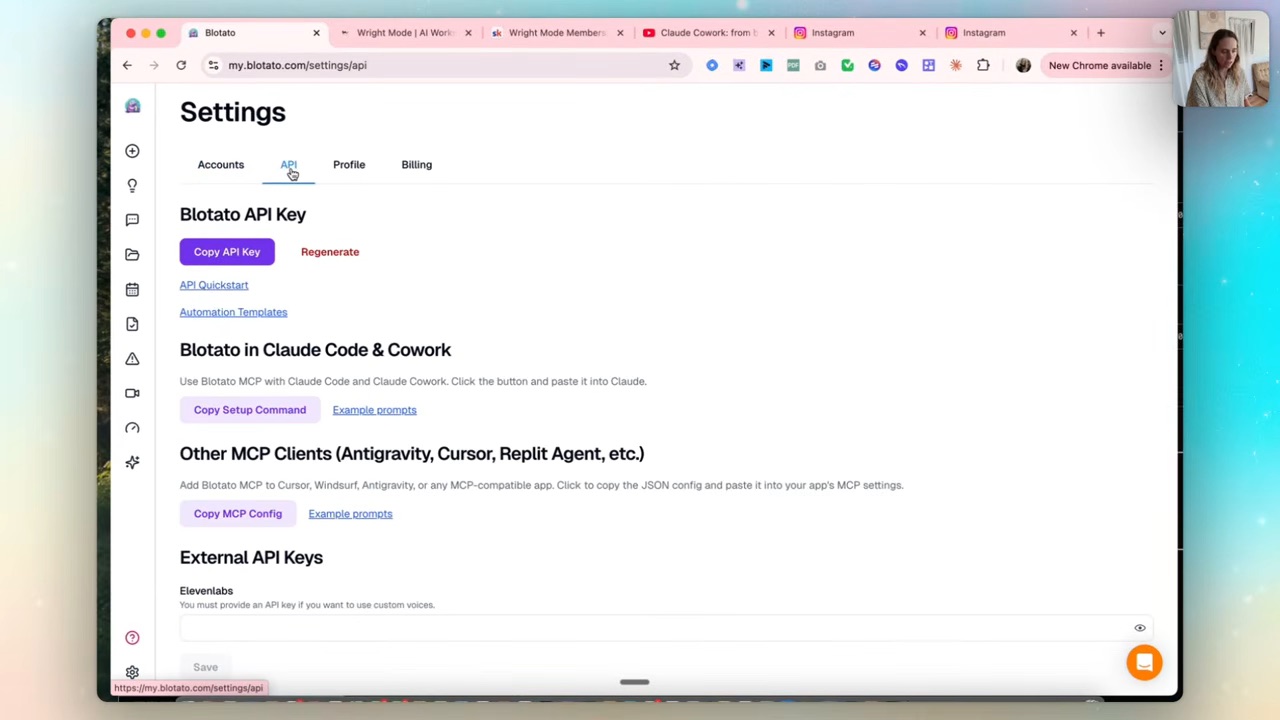
An MCP is just a connector — a standard way for Claude to talk to another tool. You don't need to understand the plumbing. You copy, you paste, it works.
Step 3 — Drop the URL and let it work
Now the good part. Drop a YouTube URL into your project and let it go.
Claude retrieves the available transcript in this example, then reads it and comes back with three or four distinct carousel angles. I usually add an infographic too, because Blotato makes some genuinely nice ones.
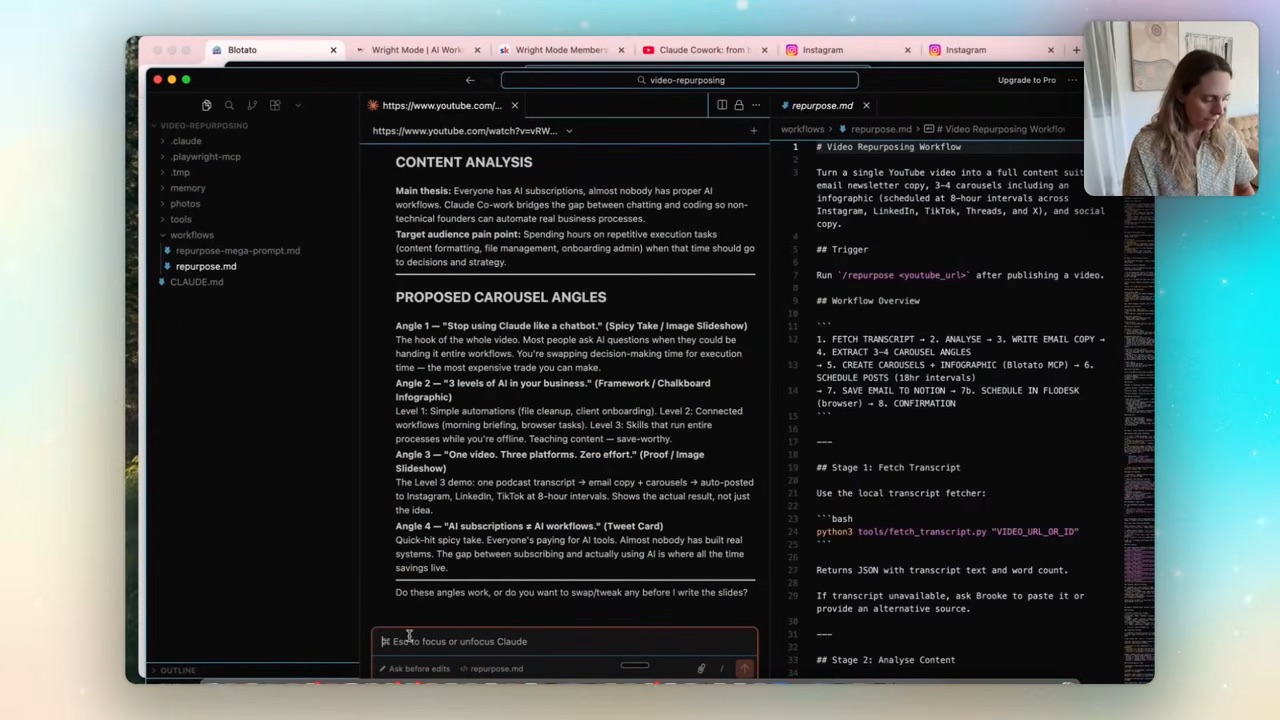
You glance at the angles, say "yep, build them," and it goes. It updates its own to-do list, creates the carousels in Blotato, schedules them (one out now, the next in 18 hours, then 36, then 54), and writes the email.
Here's the honest bit — about 90% of automation is problem-solving. The first run, it grabbed photos that weren't from my website even though I'd told it to. So I just told it: "these need to come from my site, the links are public." It fixed it and re-ran. That back-and-forth IS the work, and it takes seconds.
This is the same idea behind my Instagram carousel system, just scaled up — instead of one TikTok into one carousel with several slides, it's one long-form video into a full week across every platform.
Step 4 — Save the prompt so you never rebuild it
The long prompt is a starting brief. Once the workflow works, separate transcript retrieval, copy, rendering and scheduling into small reusable skills. Keep a checkpoint for the actual rendered slides, captions and links; approving an angle is not approval of the finished post.
Once it's working, ask Claude to write you a single reusable prompt for the whole system. It produces a long one — lines and lines — that bundles the Blotato connection, your branded website images (they have to be publicly available; Google Drive links won't work), and your brand voice guide.
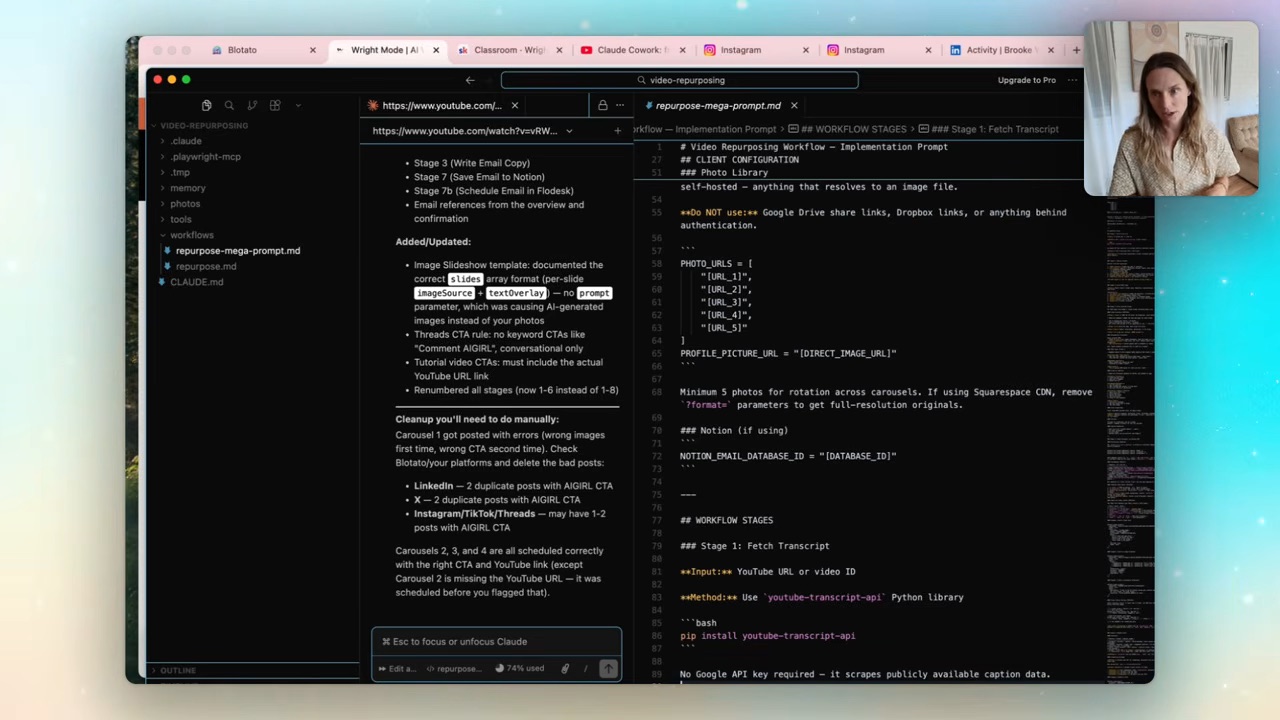
From then on you paste that prompt, answer a few questions, and the system sets itself up. That's the difference between a clever one-off and an asset you actually keep using.
FAQ
Do I need to be technical to repurpose a video into social posts with AI?
No. The whole thing runs through Claude Code, which you drive with plain English. You're describing what you want and approving what it builds — there's no code to write yourself.
What tools do I need for this?
Claude Code (free via Cursor or VS Code, plus your Claude plan) and Blotato for the actual scheduling and carousel creation. Transcript access depends on the source and retrieval method; transcription can add cost if captions are unavailable.
How many posts does one video actually produce?
In my setup, one video becomes three to four carousels plus an infographic, platform-specific captions for each, and a drafted email — scheduled across Instagram, LinkedIn, TikTok, X and Threads. That's roughly a week of content from one piece you already made.
Why stagger the posts instead of publishing all at once?
The system schedules with an 18-hour gap so you're not dumping everything on your audience in one hit. It keeps your feed active across days instead of one busy afternoon followed by silence.
The full reusable prompt — the one that builds this entire system — lives inside the Wright Mode membership, along with every other workflow I build. It's a community of women using AI to scale their businesses and claw back some hours, and you get the templates the moment I make them. Come build with us.