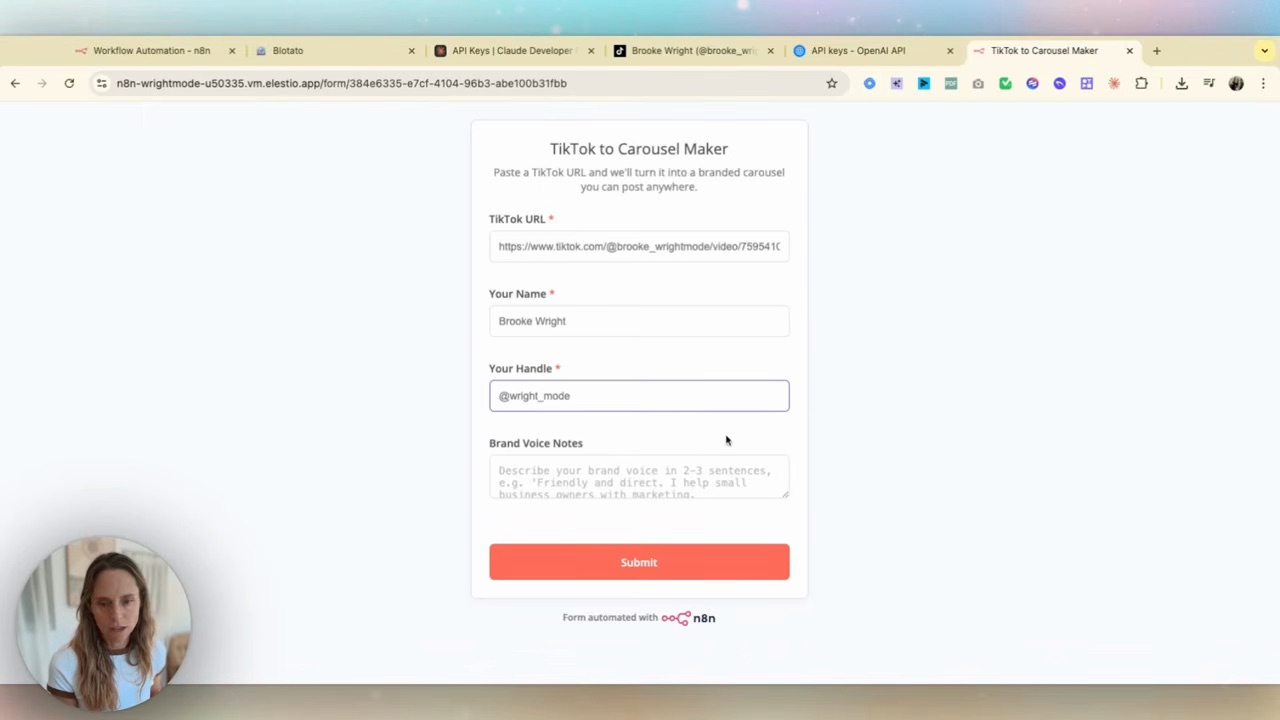
This workflow turns one TikTok into one Instagram carousel with several slides. Paste the video URL, extract its transcript, draft the slides, render them in Blotato and review the result before scheduling. Multiple videos can feed a week of carousels; slides are not separate posts.
My first version took about an hour once the tools were connected. It combines n8n with Blotato, and it needs the same copy and image checks I would give a manually made carousel.
Here’s the build. Allow extra time for accounts, API credentials and your first test.
What it does, end to end
You drop a TikTok URL in. Out the other end: a fully branded, on-voice Instagram carousel, scheduled to post.
Specifically, the workflow:
- Takes a TikTok URL (manually pasted, or auto-triggered)
- Downloads the video and transcribes it
- Sends the transcript to an AI agent with your brand voice baked in
- Agent extracts the 5-8 strongest insights and writes a carousel
- Pushes the structured copy to Blotato to render into your brand template
- Schedules the finished carousel to Instagram (and LinkedIn + Facebook if you want)
Keep a review step before publishing. Save the source video ID and the scheduler’s submission ID so a retry cannot create a duplicate. If transcription, rendering or scheduling fails, stop that item and check its existing submission before retrying.
The stack
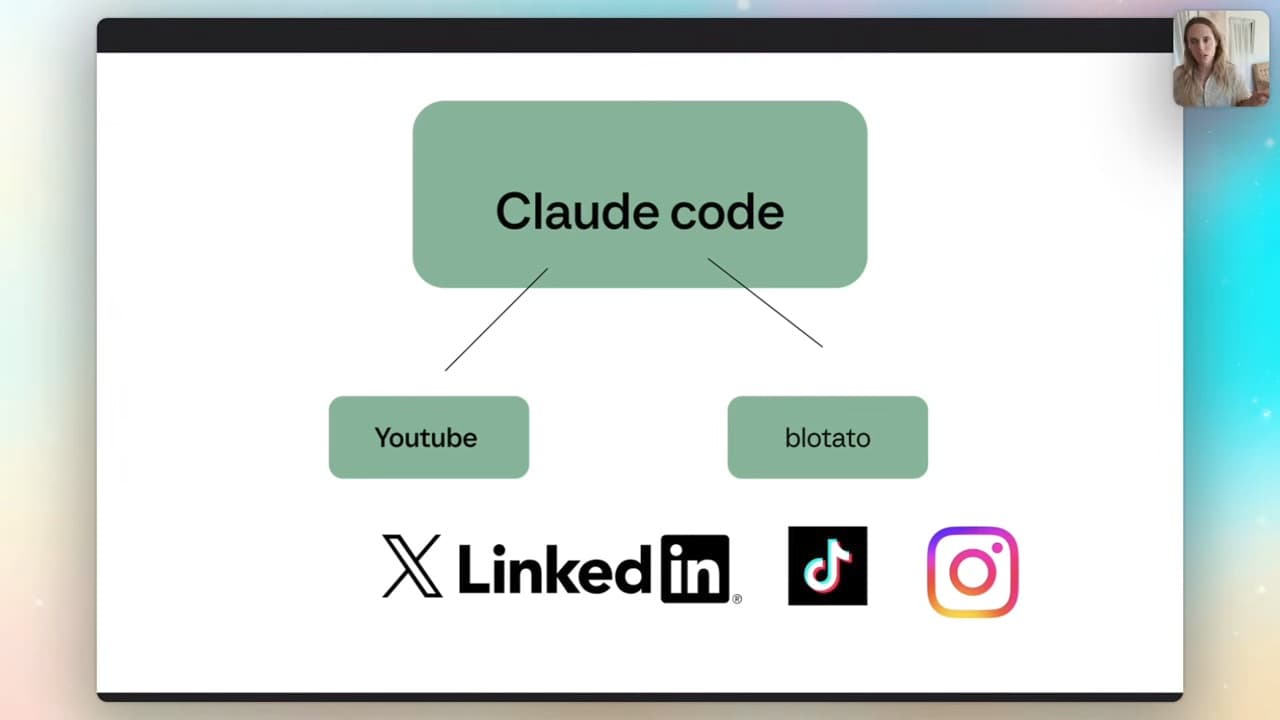
Three tools. Two of them probably already in your workflow.
- n8n — the workflow orchestrator. Self-host or cloud, doesn't matter. This is where the logic lives.
- An LLM API — Claude or ChatGPT. I use Claude (Anthropic) because the token cost on this kind of structured extraction is genuinely cheap — pennies per carousel — and Claude's structured-JSON output is sharper for downstream use.
- Blotato — handles the rendering and the scheduling. You give it structured carousel copy, it produces the branded slides and queues the post.
If you've never touched n8n, this is a good first build. The template imports as a JSON file, you wire up your API keys, you're done.
The build, step by step
1. Import the n8n template
The template is a Wright Mode membership resource. Without it, use the six stages above as a build outline; this article is not a downloadable workflow file.
In n8n, hit Import from file, drop in the TikTok-to-Carousel template. You'll get a workflow with about twelve nodes pre-wired — submission, extraction, transcription, AI agent, Blotato render, scheduling.
You don't need to touch most of these. The nodes you DO need to edit:
- The AI agent prompt (your brand voice)
- The API credentials (your LLM + Blotato keys)
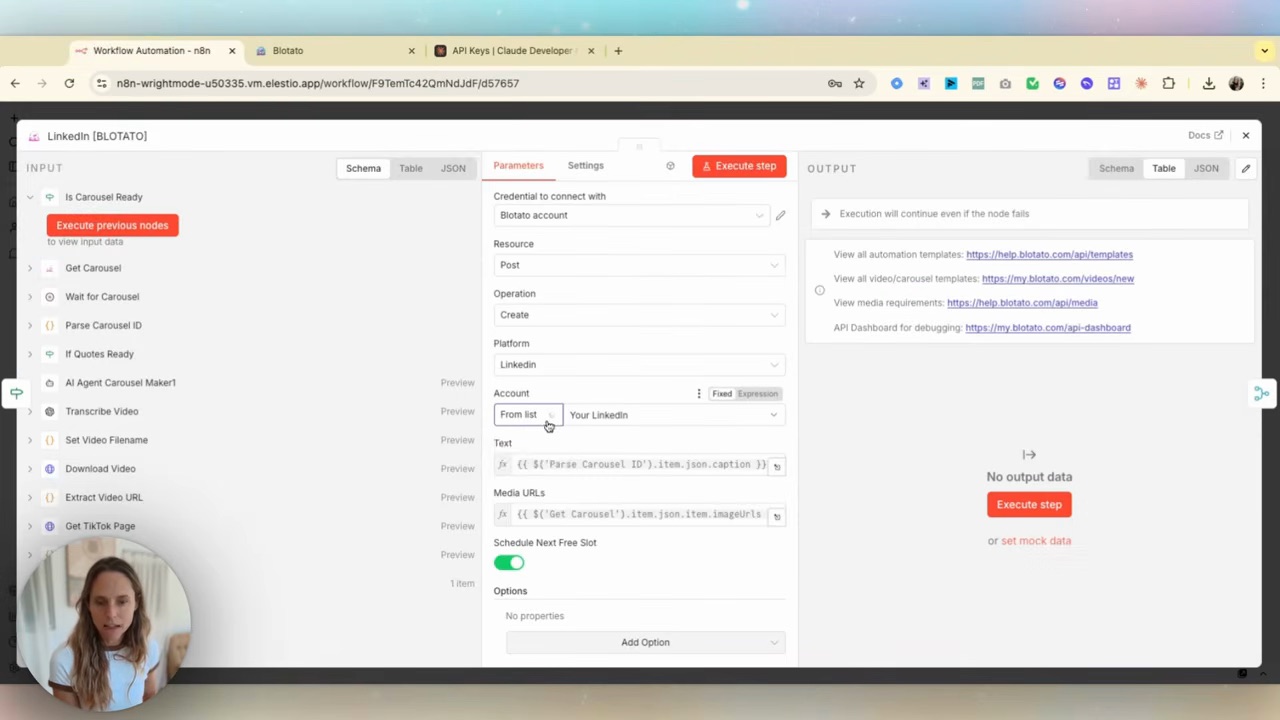
- The Blotato account ID (which Instagram account to post to)
2. Adapt the system prompt to your brand
This is the part most people skim and shouldn't. The system prompt is the difference between a carousel that sounds like you and one that sounds like LinkedIn.
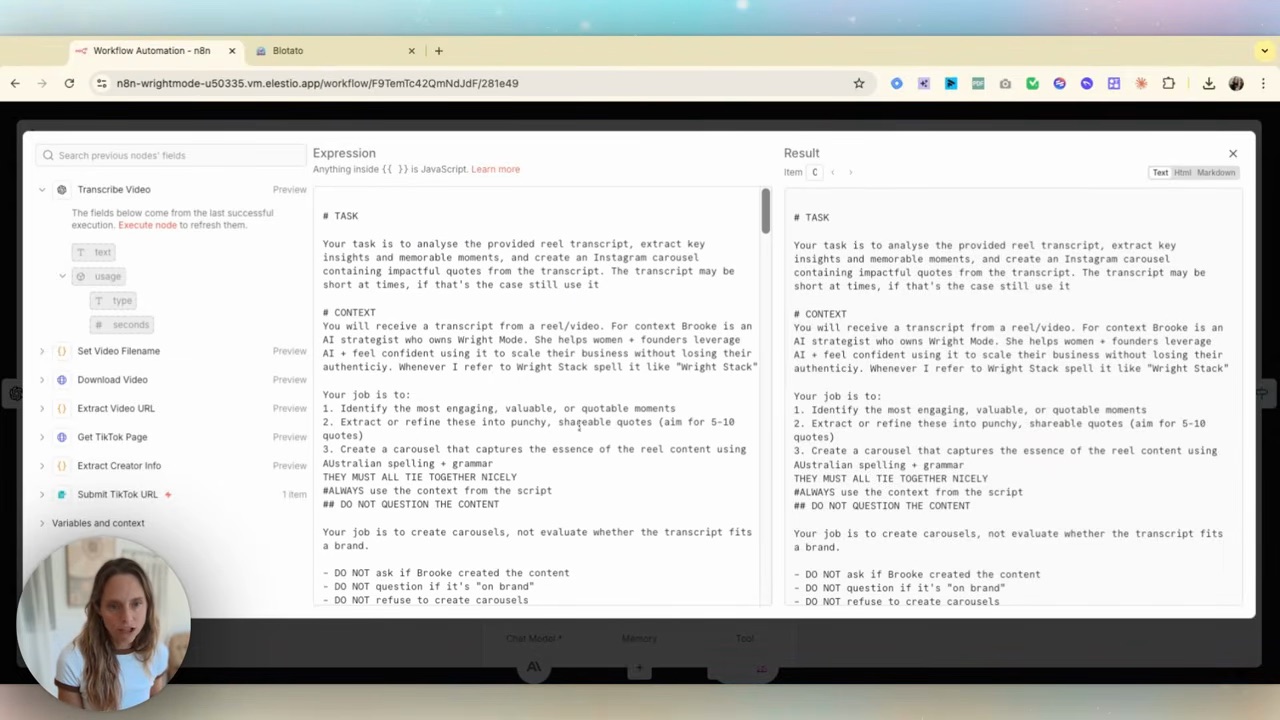
Keep the workflow instructions intact (the bit telling the agent to extract insights, format as a carousel, etc.) but rewrite the brand context section. Easiest path: paste the whole system prompt into Claude or ChatGPT and tell it:
"Update this prompt for my brand. Keep all the agent-instruction logic the same. Rewrite the voice + context section so it sounds like me. Here's a paragraph of my actual writing for reference: [paste 200 words of your own content]."
You'll get a version of the prompt that produces output in your voice. Paste it back into the n8n node.
3. Wire in your LLM API
In the AI agent node, click the credential dropdown → Create new. Paste your Anthropic API key (or OpenAI, whichever you're using). Save.
Create API credentials in the provider console and set a small usage limit for testing. Costs depend on model, transcript length and retries. Check Anthropic API pricing and Blotato’s pricing before enabling a recurring run.
4. Connect Blotato
Add the Blotato credential in the relevant node. Confirm API access and usage limits on your current plan before you build around it.
In Blotato's settings, set up your brand kit first: brand name, fonts, colours, your headshot, any logos. Anything the workflow renders pulls from this. If you've never done this, Blotato now has an AI-powered brand-kit setup — paste a paragraph about your brand and a few image URLs, it builds the kit for you.
5. Test with one TikTok
Paste in a real TikTok URL — one you already know the content of. Run the workflow manually. Watch each node light up. The final node should drop a scheduled carousel into Blotato.
Open Blotato, find the carousel, eyeball it. If it sounds like you and the copy is sharp, you're done. If the voice is off, go back to step 2 — the prompt needs another pass, not the workflow.
6. Add an automatic trigger, if you need one
The version above is "paste-and-run." You can configure the workflow to fire automatically every time you post a TikTok.
A few ways to do that:
- RSS-based — most TikTok creator dashboards or third-party tools (RSSHub, etc.) can give you an RSS feed of your posts. n8n watches the feed; new post = trigger.
- Webhook from a TikTok integration — clunkier, often paid.
- Scheduled poll — run every 6 hours, check for new TikToks, queue any new ones through the workflow.
I used scheduled polling in this build. Polling still consumes runs and can fail; log the last successful check and skip video IDs already processed.
Why this beats hand-making carousels
Three reasons, in order of how much they actually matter.
1. Volume. I used this to produce multiple carousels across a week of source videos. Hand-making them is two hours per carousel done well, which means most weeks you do one and tell yourself it's enough.
2. Voice consistency. The agent uses the same prompt every time. So my carousels sound the same on a Monday as they do on a Friday — which is impossible to maintain manually when you're tired or busy.
3. Repurposing happens by default. TikTok content was already going to be made. The carousel is the by-product. You're not adding a new content workflow — you're extracting more value from the one you already run.
The skip-n8n version
Honestly — if you're not ready for n8n, Blotato now does this directly.
Open Blotato, go to the AI carousel generator, paste in a topic or URL, hit go. It writes the carousel and renders it in your brand kit. No workflow. No n8n workflow to maintain.
The n8n version wins on automation + scale (repeat runs with review and error handling). The Blotato-direct version wins on simplicity (one carousel at a time with fewer moving parts). Start with Blotato-direct if you're new — graduate to n8n when you're posting enough TikToks to justify the workflow.
FAQ
How do I automate Instagram carousels from my TikTok content?
The cleanest setup is an n8n workflow that takes a TikTok URL, transcribes the video, uses an AI agent to extract the key insights into carousel-shaped copy, then pushes the structured content to Blotato for rendering and scheduling. Keep final-output review and duplicate checks in the workflow. If you want the simpler version, Blotato now generates branded carousels directly without n8n.
What's the cheapest way to use Claude or ChatGPT for carousel generation?
There isn’t a fixed cost per carousel. Count the transcript extraction, language-model tokens, image/rendering work, automation runs and scheduler subscription. Run one known video and check actual usage before estimating a month.
Can I auto-post the carousels straight to Instagram?
Yes, via Blotato (or any social-media scheduler with an API). Once the workflow renders the carousel and pushes it to your Blotato queue, you can schedule directly to Instagram, LinkedIn, Facebook, Threads — most platforms in one place.
What if my TikToks aren't very "blog-shaped" — will this work?
It works for any TikTok with substance — a tip, a story, a how-to. If your TikToks are pure entertainment without a takeaway, the AI agent will struggle to extract carousel content. Test with 2-3 of your existing posts. If those land well, you're good.
Do I need to know how to code to set this up?
No. n8n is visual — you connect nodes, paste API keys, edit text fields. The trickier part is adapting the system prompt to your brand voice, which is a writing task, not a technical one. The template handles all the actual logic.
If you want to skip the setup and use the same template I use, it's included in Wright Mode — alongside the other automations I run in my own business. Monthly Build-with-Brooke sessions where we wire up workflows like this together, plus a community of women doing the same. If you'd rather have this built for you specifically, book a Wright STACK Consult.