To build a Claude skill without code, don't write it yourself. Get Claude to interview you about the job, turn your answers into a skill with its templates saved inside, add a check it runs before it shows you anything, fix the skill (not the chat) when it gets something wrong, then put it on a schedule that reports back. Those are the 5 levels in the video below, with every prompt written out so you can copy them.
Anthropic's own team is telling people to stop building AI agents and build skills instead. I agree, because that's how I run my business. I'm a solo founder, I don't have a fleet of agents, and I've got over 150 Claude skills. Every Monday morning my receipt sweep goes through my inboxes and files the PDFs in the right folder for tax time. One turns every live call I run into a classroom lesson that's posted automatically. And one turned a YouTube video of mine into a full free guide. They're just files and folders on my computer.
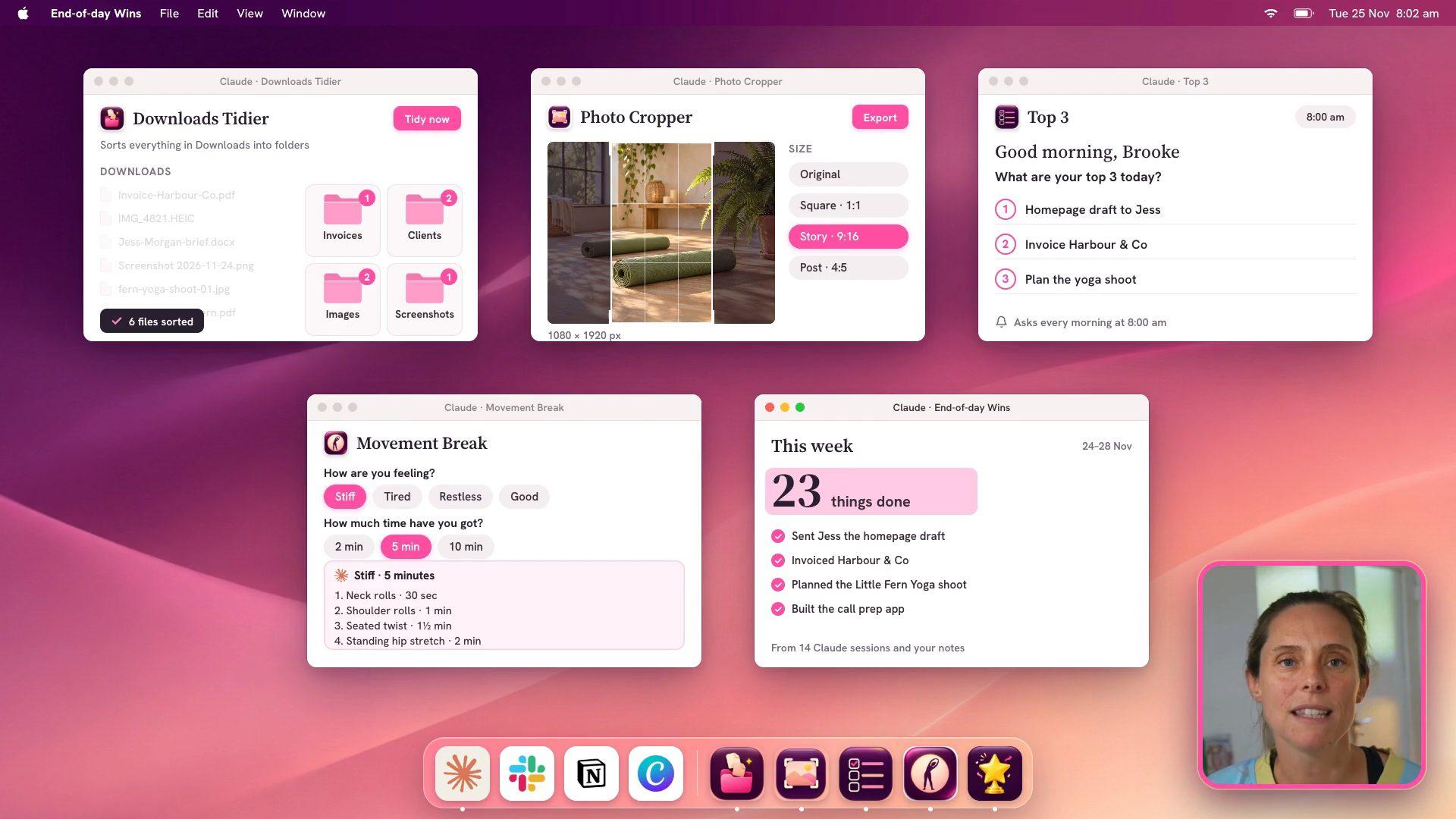
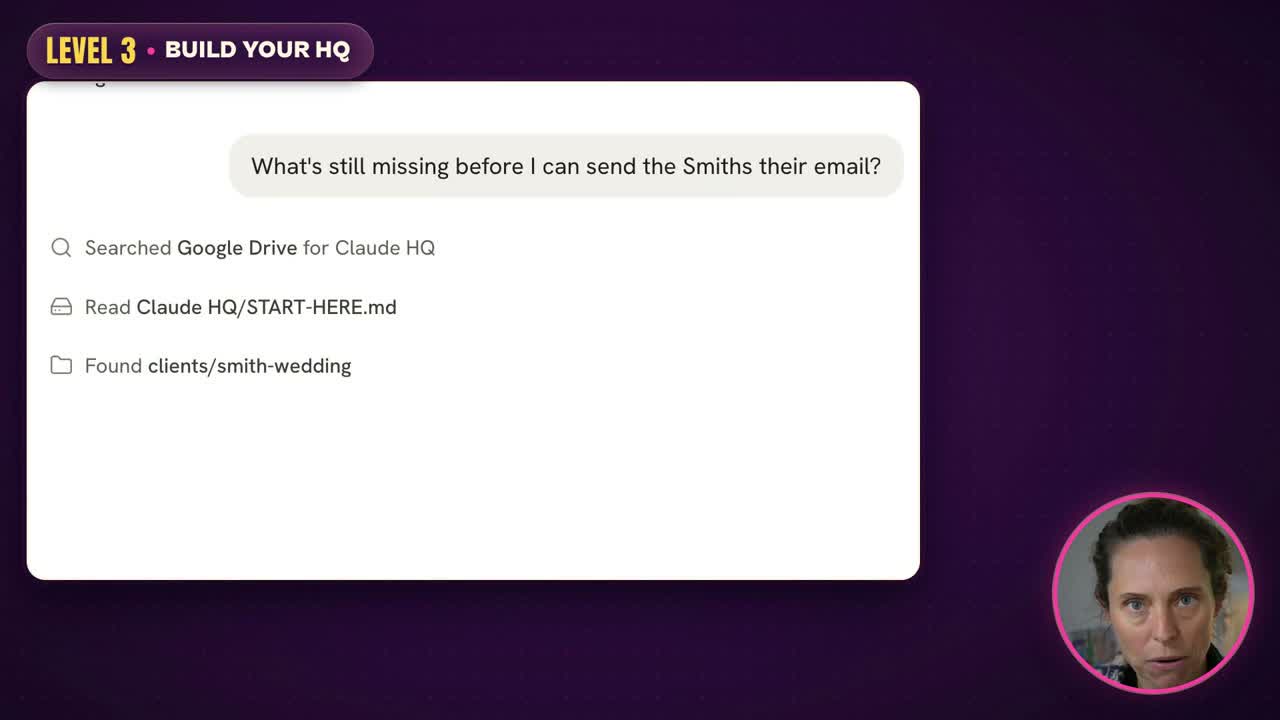
The screenshots in this post are from the video. My Grok Bot app, Skool classroom and Slack were rebuilt in code for it, so the names and messages on them are made up.
Should you build AI agents or Claude skills?
For most small businesses, skills. Right now it's almost a flex to say you've got a whole fleet of AI agents running your business. It sounds great, but it isn't the most efficient use of AI.
I tried it. When I built my Grok Bot team, every job got its own bot, and they chatted to each other in a group chat. You feel like an AI boss. But every message ate my usage, and every new bot was one more thing I had to set up and babysit.
Here's how I think about it now:
- An agent is a new hire for one job.
- The AI is your assistant. Claude, ChatGPT or Gemini, the one you already pay for.
- A skill is the training manual you hand that assistant.
I would much rather have one great assistant with a shelf full of manuals than 20 new hires to manage. That's the whole point of the Anthropic talk, Don't Build Agents, Build Skills Instead by Barry Zhang and Mahesh Murag at AI Engineer: one capable agent like Claude, with a skill for every job.
If you're still working out what an agent actually is, I've written about what an AI agent is and whether your business needs one.
What is a Claude skill?
A skill is a folder. That's it. Inside it there's a file of instructions (called SKILL.md), plus anything else the job needs: templates, examples, and sometimes a little script.
Here's one of mine. It drafts my email broadcast every time a new YouTube video goes up. Inside the folder there's the instructions file, the email template, and a couple of scripts that pull in the video's details. If you don't know what a script is, don't worry. It's just code the AI has written to do one small job.
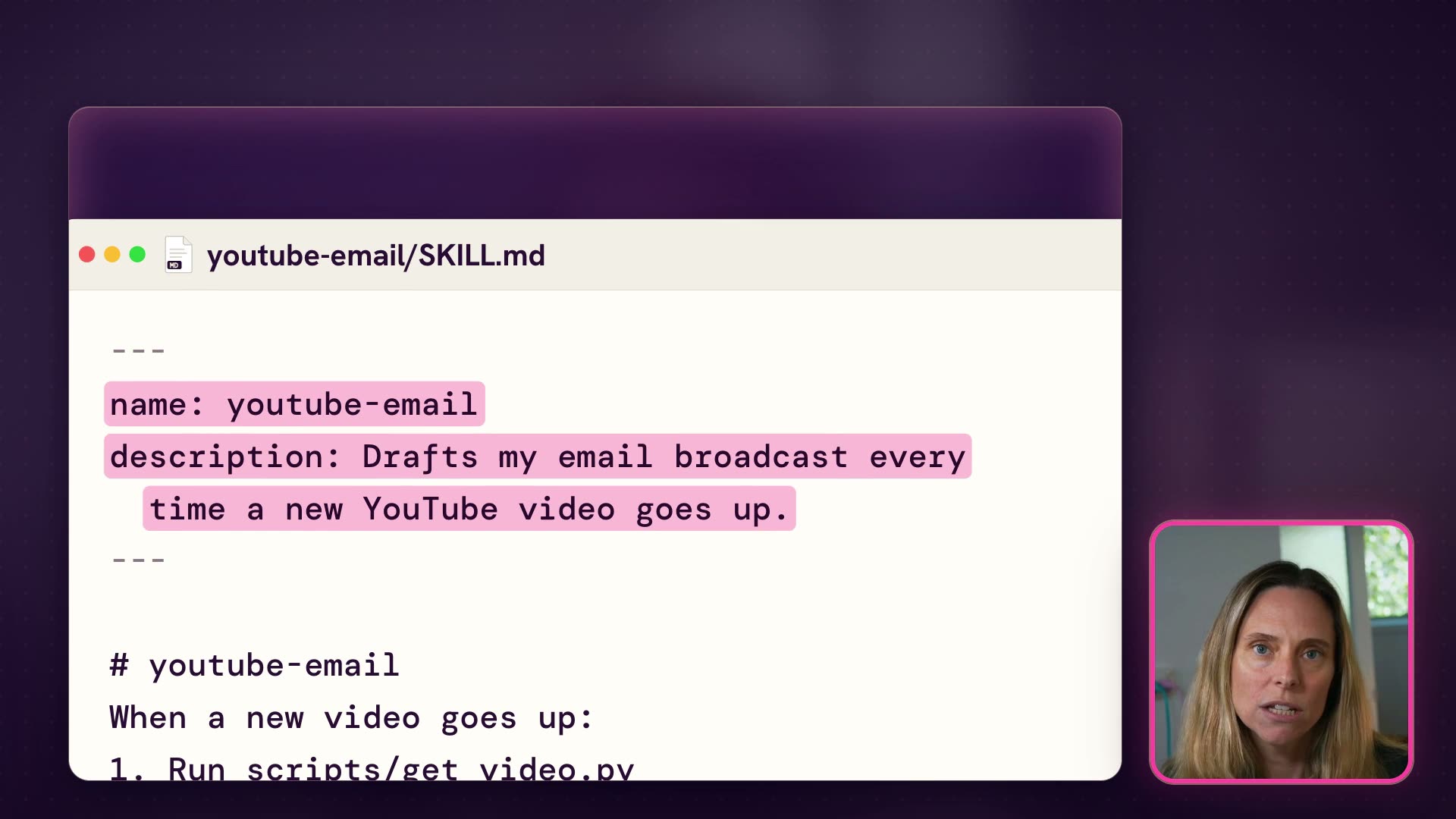
At the top of the instructions file is a name and a one-line description. Think of it as the label on a box. Claude reads the label to decide whether this is the right skill for the job, and only opens the box when it is. (The Agent Skills specification calls this progressive disclosure: the name and description load first, and the full instructions only load when the skill is used.)
Skills are now an open standard, so they're not locked to Claude. If you're on ChatGPT, the same prompts and skill folders work in Codex. OpenAI's build skills guide says its skills build on the same open standard.
New to skills inside the Claude app itself? My post on Claude Projects vs Skills covers the difference and the settings to turn on.
Where do your skills live?
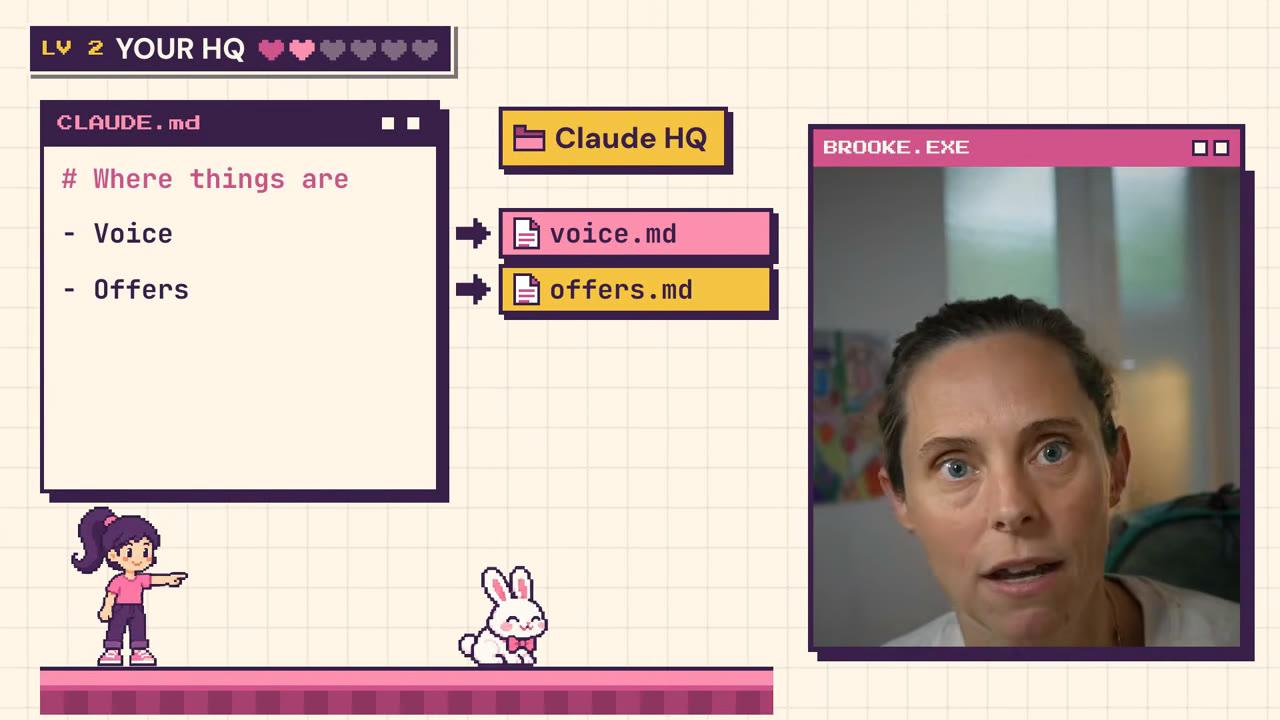
In one folder I call my Claude HQ. It's a folder on my computer with a folder each for my content, my community, my products and my marketing. Claude works inside it, my skills sit in it, and there's a map file Claude reads to work out where the context and the skills are for whatever I've just asked.
That's why I can have 5 Claude tabs open at once, working on random things, without thinking "oh, I need to open this in the right folder". It knows where to go. There's no agent dashboard and no fleet to manage. It's files and folders.
To follow along with the video:
- Open the Claude desktop app and click the Code tab.
- Open your Claude HQ folder.
- No HQ yet? Make a folder called Claude HQ in Documents on your computer, and open that.
If you'd rather keep your HQ in Google Drive, I walk through that version in my Claude full course.
Which job should your first skill be?
My rule: if I do a job more than twice, it gets a skill.
Think of the jobs you did more than twice this month and pick the most boring one. Writing the newsletter. Sorting receipts. Replying to the same emails. Mine are things like my weekly bookkeeping and clearing my inbox.
Boring is best because you already know what good looks like. The clever ones are what people build for Instagram, watch break, and give up on within a week because they never actually use them.
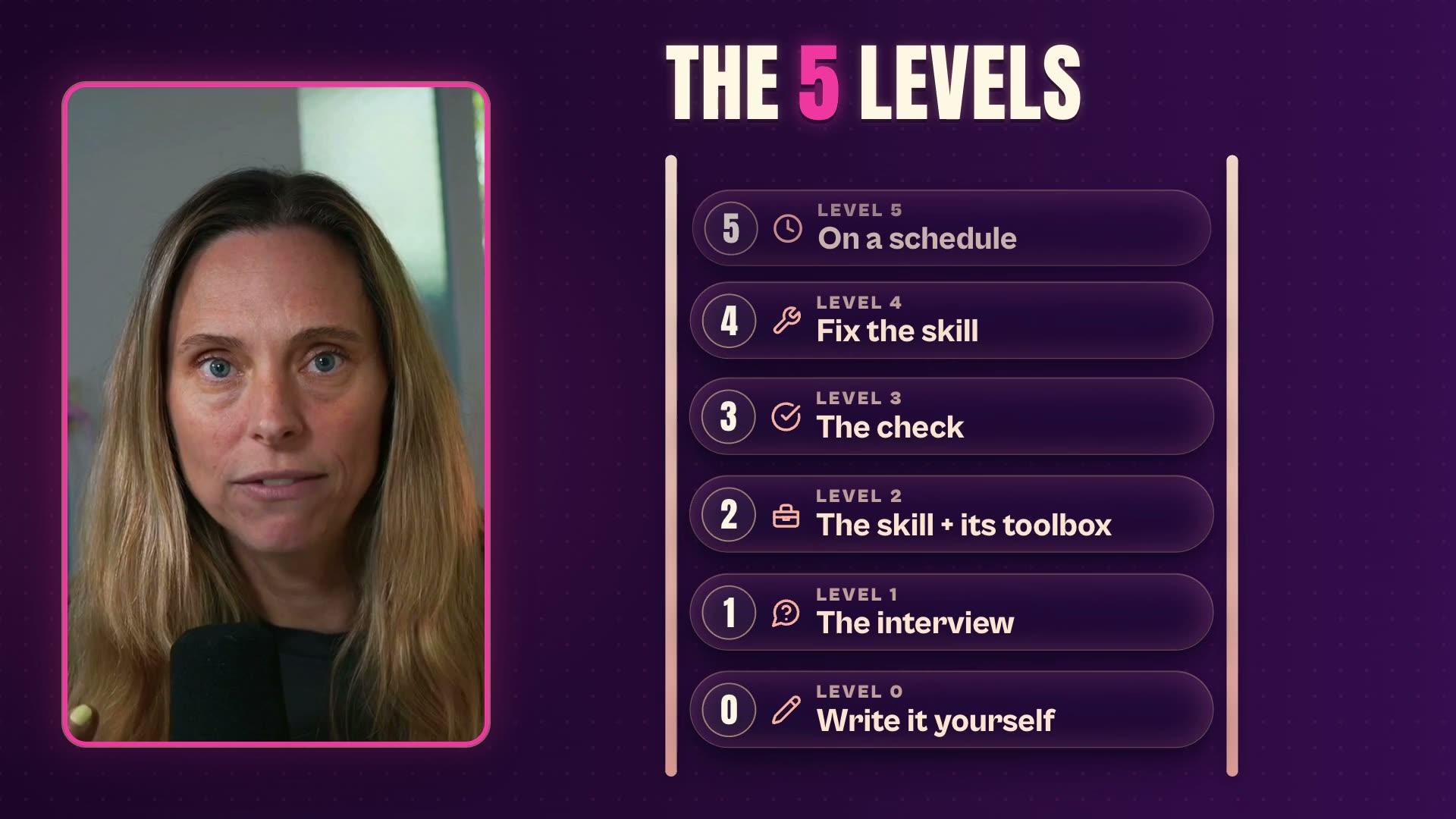
The 5 levels of building a Claude skill
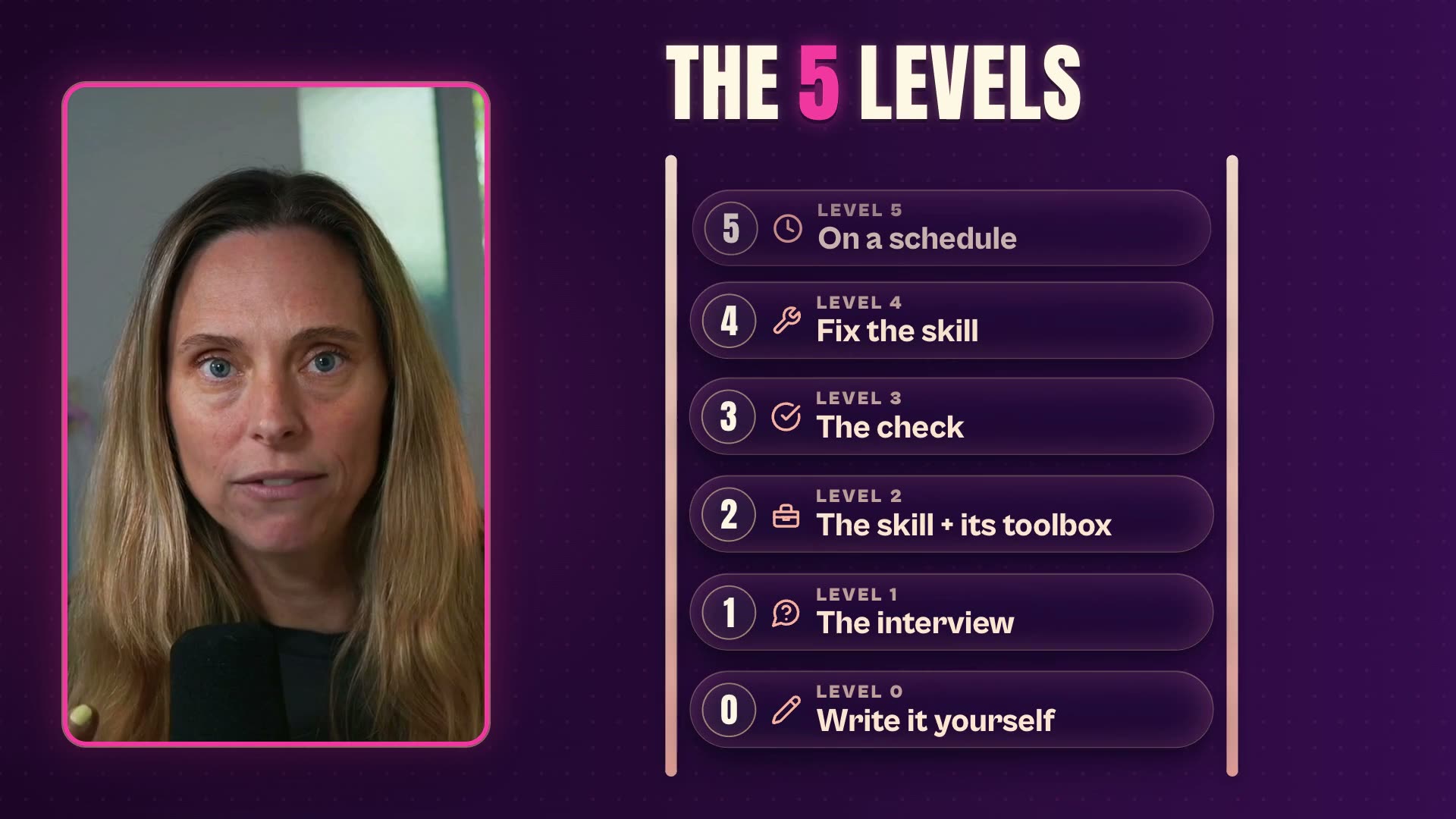
- Level 0: write it yourself (don't)
- Level 1: Claude interviews you
- Level 2: the skill and its toolbox
- Level 3: the check
- Level 4: fix the skill, not the chat
- Level 5: put it on a schedule
All 3 build prompts, the fix line and the hacks are in my free guide, the Toolshed, ready to copy.
Level 0: why you shouldn't write the skill yourself
I call it level 0 because I never do it, and you shouldn't either. Claude writes the skill. These models are much better at writing their own workflows than we are. Your only job is answering questions.
Level 1: how do you get Claude to interview you?
Paste this into Claude in your HQ:
I want you to be able to do your job without me. Interview me about it one question at a time. Ask me what good looks like, the steps, the tools that I use and the files that I use, the mistakes I always fix, and how I'd know it's done. Keep going until you could do this without me having to ask you to do it. Don't build anything yet.
Talk to it like a new assistant on their first day. If you were handing this job to a person and wanted a really good first pass, what would they need to know? Where would they find things? What tools would they need access to? That's how you brief these models. The more you tell it here, the less you fix later.
The bit that matters most is the mistakes I always fix. My email skill knows I say "stoked", never "pleased". It knows I'm pretty casual. That's the stuff you'd never think to put in a prompt, but it's the first thing you notice when AI hands you a draft and you think "hmm, this is not how I sound".
Answer the way you talk, not the way you'd write. I use voice for all my AI now, with a tool called Wispr Flow (not sponsored). The more context you give these tools, the better they work.
Yes, this takes a bit of time to set up. I guarantee it's worth it. Don't let it build anything yet. When it runs out of questions, you're ready for level 2.
Level 2: how do you turn your answers into a skill?
Paste this:
Turn everything I just told you into a skill in this Claude HQ. Save any templates, example files or scripts that worked inside the skill folder, and add a rule that says to reuse them instead of making new ones. Show me your plan before you build anything.
Think of this as your team meeting. You want to OK the plan before it goes off and builds something you didn't need.
The toolbox is the part most people miss. Every template or file that worked gets saved inside the skill, so Claude never builds the same thing twice. That's how skills get better and use fewer tokens over time.
Here's a real one. A skill of mine turned my Grok Bot video into a full free guide, with every prompt from the video and my signup form. It looks like every other guide I've made, because the template and the signup form live inside the skill. These free guides are a big part of how my email list got to over 10,000 subscribers, and now I just say "create a new lead magnet".
Read the plan before you say "go ahead". If it's about to make something from scratch that you already have, like your proposal template or your price list, tell it where to find yours.
Level 3: why does a skill need a check? (the hack)
If you stop at level 2, your skill will work about half the time. Level 3 is why mine don't. Paste this:
Add a check to the end of this skill. Before you show me anything, test the result against what good looks like from our interview and the examples I've provided. Fix what fails and tell me what you checked.
Now the skill checks its own work before anything comes back to you. This is the step most people skip, and it's why their AI only works half the time. If you're still checking every single output yourself, you haven't saved any time. You've just become the middle manager for your AI.
It's also why a skill isn't just a saved prompt. A saved prompt is one message. A skill is the whole job: the workflow, the tools, the examples, and a check before you have to review it.
My script skill won't hand me a script until it's passed my banned words check and graded itself against my criteria. If it fails, it goes back, rewrites, and checks and grades again. I only see it once every criterion is met.
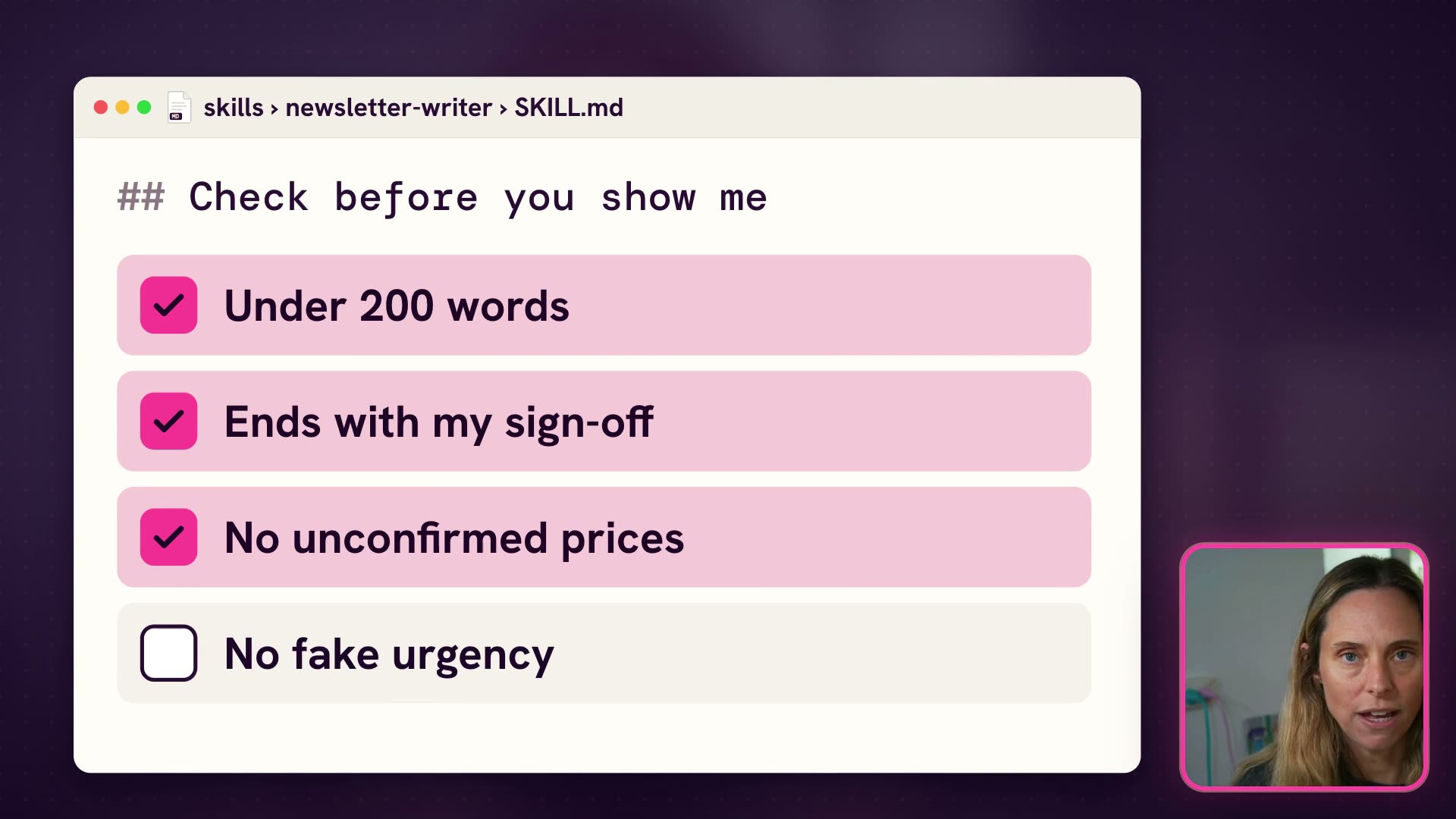
Make your checks specific. "Make sure it's good" doesn't work. Large language models are predicting machines, so if you say "make it good", it guesses the most likely version of good for that job, which is average. Say things like:
- This must be under 200 words.
- It ends with my sign-off.
- No prices I haven't confirmed.
- No fake urgency.
Once it's set up, you just ask for the job in plain English. For my newsletter skill, that's "write this week's newsletter". Claude reads my map, finds where my email marketing lives, grabs the newsletter skill and does the job. I don't have to carry the mental load of remembering where everything is.
Level 4: how do you fix a skill that gets it wrong?
Fix the skill, not the chat. When you're making your first skills, a lot of them will be rubbish. That's completely normal, because this is a new way of working with AI models.
The instinct is to fix it in the chat for the one task you're doing. Instead, go back to the staff member idea and close the feedback loop. When you edit what AI gave you, show it the finished version:
Here's the finished version. Can you please update the skill based on my changes? Next time, I want the first draft to look like this.
Here's one I fixed. My video editing skill kept making me look grey and washed out on anything I filmed on my iPhone. Turns out iPhones film in HDR. I gave Claude that feedback and the skill was updated, so now it converts every phone video before it edits anything.
Any time you catch yourself correcting the same thing twice, that's a sentence for the skill. Tell Claude to update it.
Level 5: how do you put a Claude skill on a schedule?
Once a skill has been right a few times in a row, you're ready for level 5. This is the part people think needs an AI agent. It doesn't. It's a skill on a schedule.
Every Monday morning, my receipt sweep goes through my inboxes, finds every receipt and invoice, adds it to a spreadsheet, files the PDF in the right folder for tax time and sends it off to my accountant. I don't open anything.
What makes it work is the report. When it's done, it sends me a summary in Slack of what it filed, anything it wasn't sure about and anything it wants me to check. That summary is the feedback loop. When it gets something wrong, I tell it once and the fix goes into its instructions.
Early on, it counted a bill I hadn't paid yet as a receipt. So now the skill has a line that literally says: "A bill that's due is not a receipt."
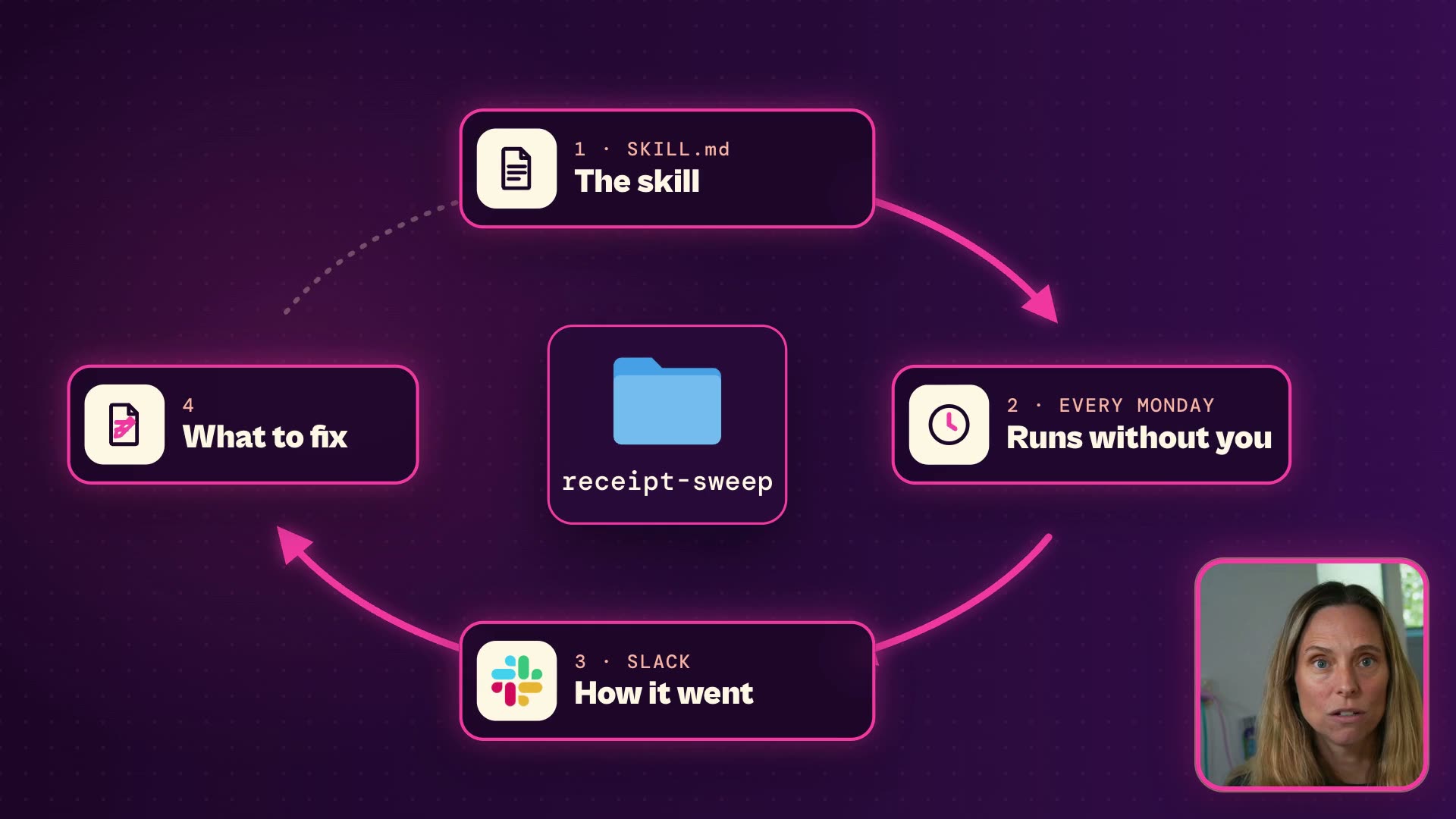
The skill itself is a script that runs through my Gmail and pulls out the attachments, with Gmail, Google Drive, Google Sheets and Slack connected. Again, that's not an agent. It's instructions in a file, a time to run, and a report back.
A skill that runs without you still has to tell you how it went. Otherwise you never know what to fix, and you can't improve it.
When a skill has worked 3 times in a row (you've tested it and given it feedback), ask Claude to run it on a schedule and send you a short summary every time. Something like:
Run this skill every Monday at 9am and send me a short summary each time: what you did, anything you weren't sure about and anything you want me to check.
The summary matters because sometimes these do fail, and you want to know so you can trust its work. If your HQ is a folder on your computer, check how scheduled tasks behave when your laptop is shut. I covered that in level 8 of my Claude full course.
The 5 levels, recapped
- Claude interviews you.
- It turns your answers into a skill, with its toolbox saved inside.
- The skill checks its own work before you see it.
- When you edit the result, you fix the skill and give it feedback.
- It runs on a schedule and reports back to you.
That's how I run my business as a solo founder without a team of AI agents. One folder, a skill for every job with the context and tools it needs, all just files and folders on my computer. When you've got a few skills working, the next step is getting them to hand off to each other: here's how I build Claude skill systems.
Quick answers
Do you need to code to build a Claude skill?
No. Claude writes the skill, and any scripts in it. Your job is answering its questions, reading its plan and telling it what to fix.
What's the difference between a Claude skill and a saved prompt?
A saved prompt is one message. A skill is the whole job: the steps, the tools and files it uses, examples of good work, and a check it runs on its own output before showing you.
Which Claude plans include skills?
Anthropic's skills page lists Free, Pro, Max, Ultra, Team and Enterprise, with code execution switched on (checked 26/11/2026).
Do Claude skills work with ChatGPT?
Skills follow an open standard, so the same prompts and skill folders work in Codex if you're on ChatGPT.
Is a skill on a schedule the same as an AI agent?
Not the way I build them. It's instructions in a file, a time to run, and a report back to you. One assistant with lots of skills, rather than a separate bot for every job.
Want your whole Claude HQ set up?
Building one skill from this post is a great start. Inside Wright Mode, my membership on Skool, you get my full Claude HQ set-up and you learn how to actually make money with AI without overcomplicating it. I'm in there every day answering questions, and you can bring the boring job you want off your plate to the monthly Build with Brooke or the fortnightly co-working and Q&A.