Most people don't need to switch from Claude Cowork to Grok Bot. They do different jobs. Cowork is Claude working through a task in your connected apps and files. Grok Bot is a team of bots on their own cloud computer, handling jobs for you from your phone. I'd keep Cowork running and test Grok Bot on one job before moving anything.
I still do most of my desk work in Claude Code and Codex, and I use Grok Bot for jobs I want handled from my phone or while my laptop's shut. This post compares the two by job, using the official help pages I checked on 09/11/2026.
Grok Bot vs Claude Cowork: side by side
| Job | Claude Cowork | Grok Bot |
|---|---|---|
| Where it runs | Sessions run remotely in the cloud. Local files, your browser or your computer need the desktop app open. | One persistent cloud computer, shared by all your bots |
| Laptop shut | Sessions keep going. Scheduled tasks run even if your computer is asleep, unless they need local files or apps. | Yes. Closing the laptop doesn't stop a routine. |
| Connected apps | Connectors, with each tool set to Always allow, Needs approval or Blocked | Connect apps. A connected app is available to every bot on your account. |
| Skills and plugins | Plugins bundle skills, connectors and sub-agents. They also work in chat and Claude Code. | One skill library shared by all your bots. Create a skill by asking a bot, or with Teach a task. |
| Repeating jobs | Scheduled tasks | Routines, on a schedule or triggered by an event such as a Slack message or an email to the bot |
| Ask-first controls | Manual, Auto or Skip modes. Permanent deletion always asks. | Auto Review on by default, plus your own Ask first rules |
| Team use | Team and Enterprise plans. You can't share a session, only the artifacts it makes. | Share a bot with your Cursor team. Each person's chat with it stays private. |
| Starting price (US$) | Pro, US$20 a month | Premium, US$30 a month |
Sources: Anthropic's Cowork guide, its scheduled tasks page and Claude pricing, plus xAI's Grok Bot FAQ, skills and routines, approvals, shared bots and pricing. Prices are US list prices before tax, and both products have usage limits.
Does Grok Bot work with the laptop shut and Cowork doesn't?
It's a fair question, because that's how I've described the difference before. It's blurrier now. Anthropic's help page says Cowork runs your sessions remotely in the cloud and scheduled tasks run even when your computer is asleep. The catch is local work. If a task needs your files, your browser or your computer, keep the desktop app open.
Grok Bot's bots sit on their own computer by default. They only run commands on yours if you allow it, and the setting asks every time unless you change it.
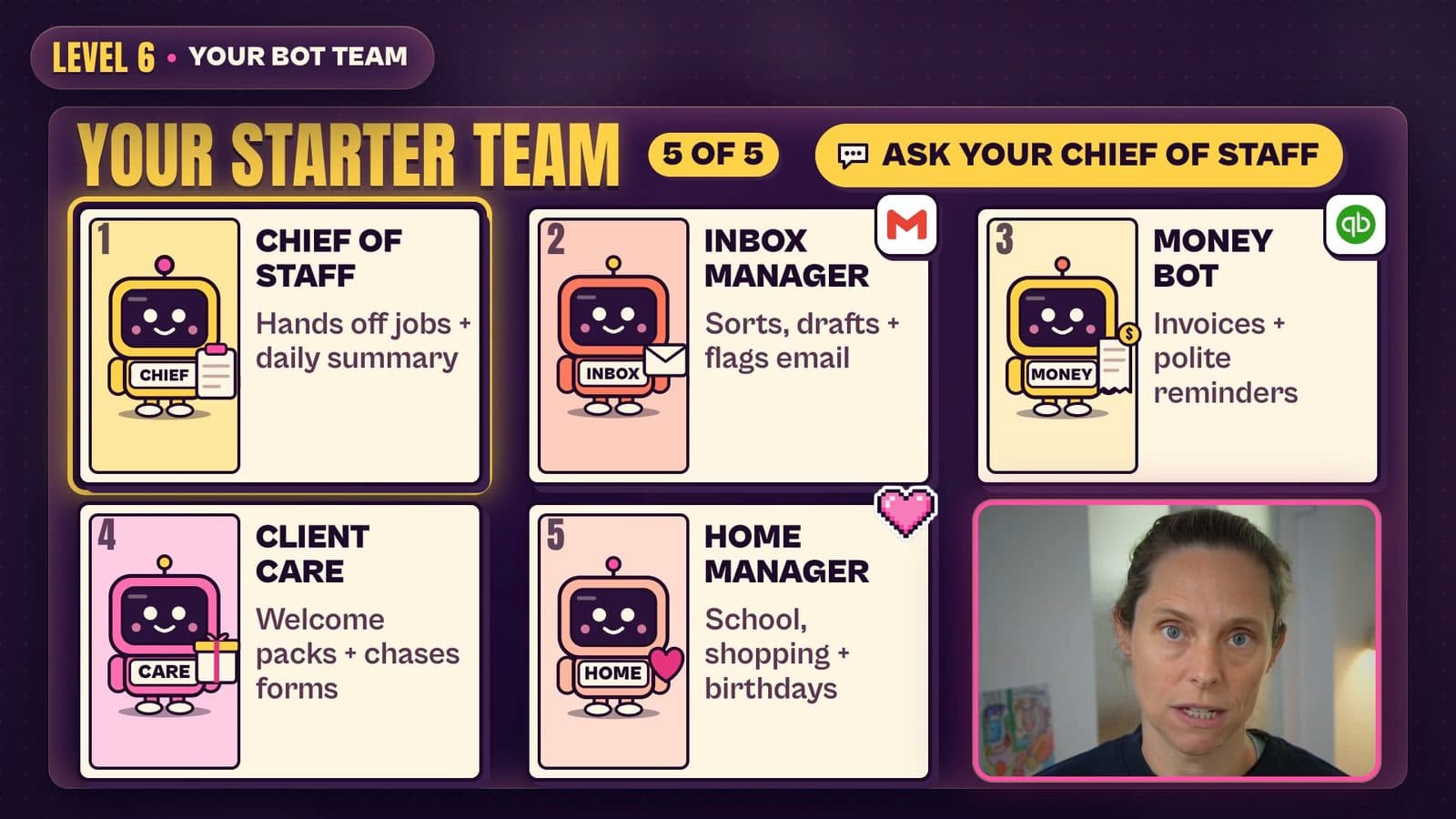
So if your Cowork scheduled tasks work, laptop-shut isn't a reason to move. The real difference is the shape of the work. In Cowork, you hand Claude a task and it works through it with you. Grok Bot is built around a team: a Chief of Staff bot that hands work to specialist bots. In mine, an email manager bot checks every brand deal before I see it.
How do approvals and ask-first controls compare?
Both ask before risky actions. Cowork has three modes: Manual asks every time, Auto lets Claude judge, and Skip removes the checks. Anthropic says Claude always needs your explicit permission to permanently delete files.
Grok Bot is built to be more proactive, so you set the limits yourself. Add plain-English Ask first rules under Custom Rules, which sits below the Auto-review switch (Settings, then General, under Bot). Switch off actions you don't want in each connector too. In my setup guide I turned off sending in Gmail rather than trust a prompt to hold the line.
What would you need to set up again if you move from Claude Cowork to Grok Bot?
Everything in your setup lives inside Claude. Nothing copies across automatically. Here's the checklist, which covers the marketing and sales routines people ask about.
- Your business context and instructions. Cowork keeps global instructions, folder instructions and project memory. A personal Grok Bot has no instructions field. You tell it in chat and ask it to remember. To bring over what another assistant knows about you, use Start Import under Settings, then General.
- Connected apps and permissions. Reconnect each app in Connect apps. Your per-tool Cowork settings don't come with you, so rebuild them as Ask first rules. A company Google account may need an admin to approve the app named Grok.
- Skills. Your Cowork plugins stay in Claude, and xAI's docs don't describe importing a skill file. Ask a bot to save a skill from your written instructions, or record the job with Teach a task where it's available.
- Scheduled tasks. Rebuild each as a routine owned by one bot. Check the time zone setting. A new routine doesn't run when you create it, so use Test.
- Files and project folders. Cowork projects keep their own files. Grok Bot's files live in a shared workspace on the cloud computer, and every bot can see them.
- Approval rules. Approvals from background work expire after about 30 minutes, and email from a routine waits as a draft until you press Send.
- Team access. Publish a bot to your team again. It won't inherit your Cowork team setup.
What doesn't carry over: your session history and your plugin bundles. Grok Bot also picks the model for each task, and there's no model picker. All your bots also share one computer, so xAI says not to treat separate bots as a security boundary.
When does Grok Bot earn its place?
Add Grok Bot when you want a bot team on routines, you want to message them from your phone, or you want one bot with its own email address. Skip it if one Cowork task already does the job. I wouldn't move marketing or sales routines wholesale. Test one.
Try this in 15 minutes
Pick one Cowork task you run weekly. Write four lines: what it does, when it runs, which app it reads from, and what it must never do. Paste those into a Grok Bot chat with "Draft only, and send nothing." Compare the output tomorrow. If it's worse, you've lost nothing.
The full build order is in how to use Grok Bot. Not sure what Cowork can do first? Start with my Claude Cowork tutorial and the post on plugins vs skills.
Quick answers
Grok Bot vs Claude Code: which one?
They're different tools. Claude Code is where I do desk work in my files. Grok Bot is for jobs handled from my phone. You can also run Claude Code on your bot's own computer with your own Claude plan.
Is Grok Bot better than ChatGPT work?
ChatGPT work is OpenAI's answer to Cowork, so that's a Cowork comparison first. Read ChatGPT work vs Claude Cowork. My agent comparison covers Dots next to Grok Bot.
Is Grok Bot the same as Grok?
No. The chat app and Grok Bot are separate. I explain how they connect in Grok vs Grok Bot.
Get help deciding what to move
I run a paid AI membership, so I have an obvious interest here. Working out which of your routines belong in which tool goes faster with someone to ask. That's what the monthly live Build with Brooke, the fortnightly Co-Work + Q&A and the private community are for. Join the Wright Mode membership.