Use a goal for a verifiable finish line, a loop for checks within an active session, and a routine for recurring work on hosted infrastructure. Here is how I choose between them.
Right now, you and AI probably work like this: you type a prompt, you wait, you read what it says, you fix it, you prompt again. That's not using AI. That's babysitting it. And the second you close your laptop, everything stops.
Claude Code goals, loops and routines are the three features that fix exactly that — and here's what they gave me on Monday morning. While I made a coffee, Claude had already gone through all 38 blog posts on my website, flagged 37 against my own editorial checklist, and left me a fix-it list with the fixes already drafted. I didn't prompt it. I wasn't at the computer. It was Monday, so it just ran.
The three features sound the same. They're not. Each one answers a different question — and once you know which question you're asking, you know which one to reach for.
(If Claude Code itself is new to you, start with Claude Code for non-technical users — everything below assumes you've at least opened it. I didn't write a single line of code for any of this.)
What are goals, loops and routines in Claude Code?
| Need | Choose | Check before running |
|---|---|---|
| Keep working until a result is verified | Goal | Observable completion criteria and budget |
| Check a deployment or other live process again | Loop | Session stays open; stop condition is clear |
| Repeat a saved task while your laptop is off | Routine | Cloud access to repos, tools and credentials |
Reviewed 15/09/2026 against Anthropic’s goals, scheduled tasks and loops, and routines documentation. These describe different execution contexts; check availability in the interface you use.
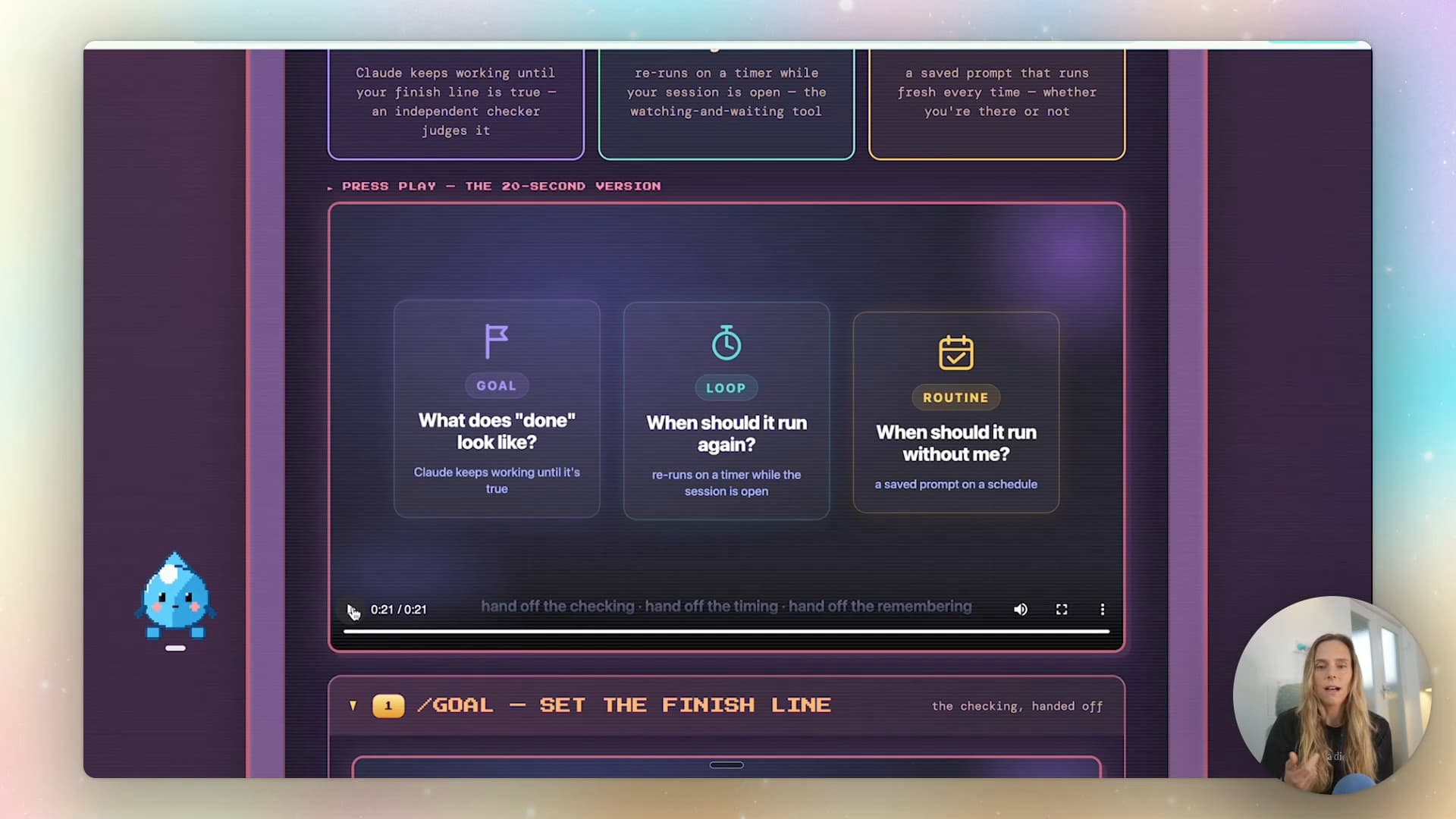
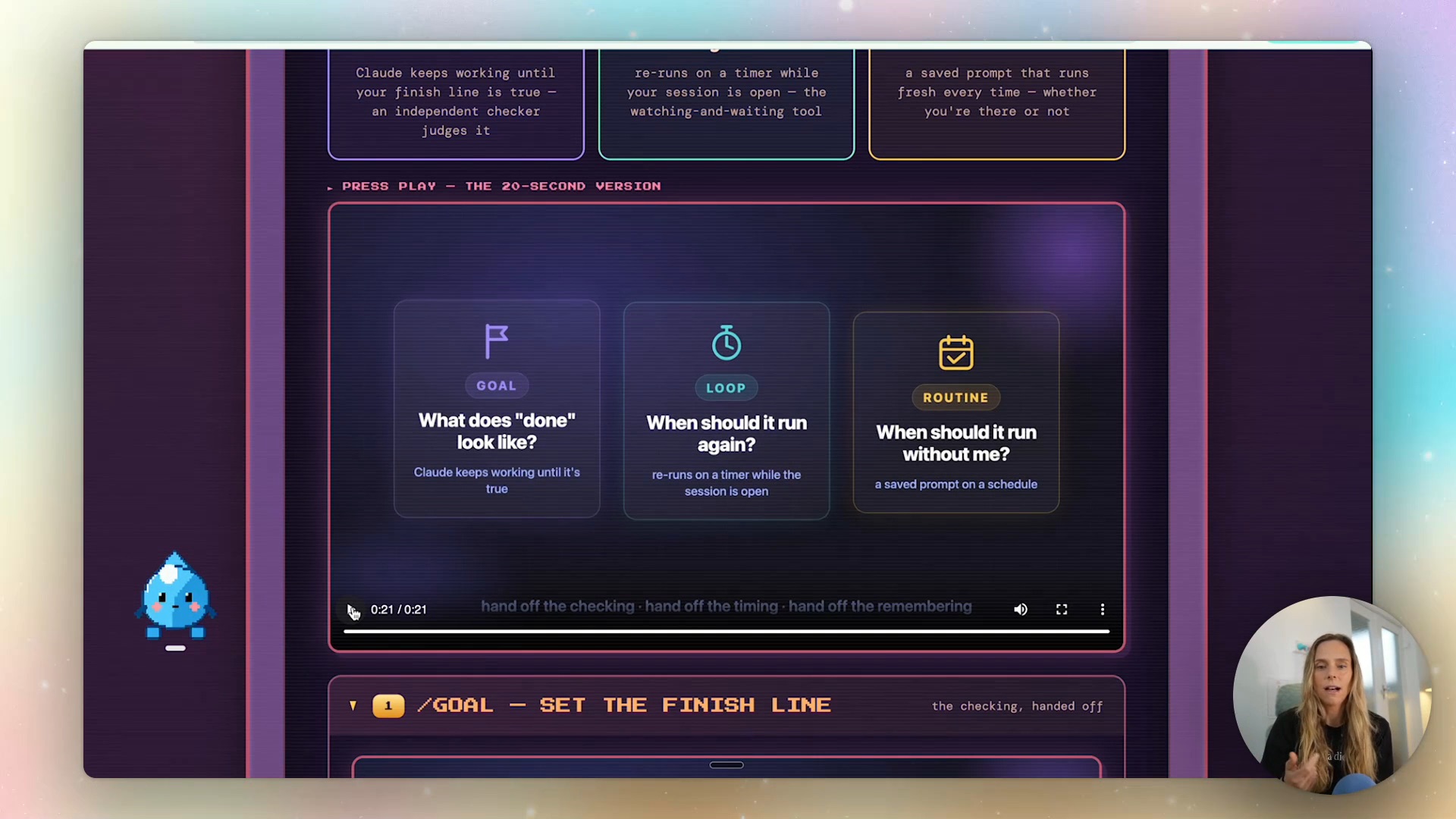
Here's the plain-English version:
- A goal answers "what does done look like?" You define the finish line, and Claude keeps working until it's true — with a separate checker judging the work.
- A loop answers "when should it run again?" Your prompt re-runs on a timer while your session is open. It's the sitting-and-refreshing tool.
- A routine answers "when should it run without me?" A saved prompt on a schedule — every Monday at 7am, and it runs the same with you at your desk or at the beach.
That's the whole map. Now the useful part: how each one actually behaves, and the prompts that make them work.
Goals — set the finish line
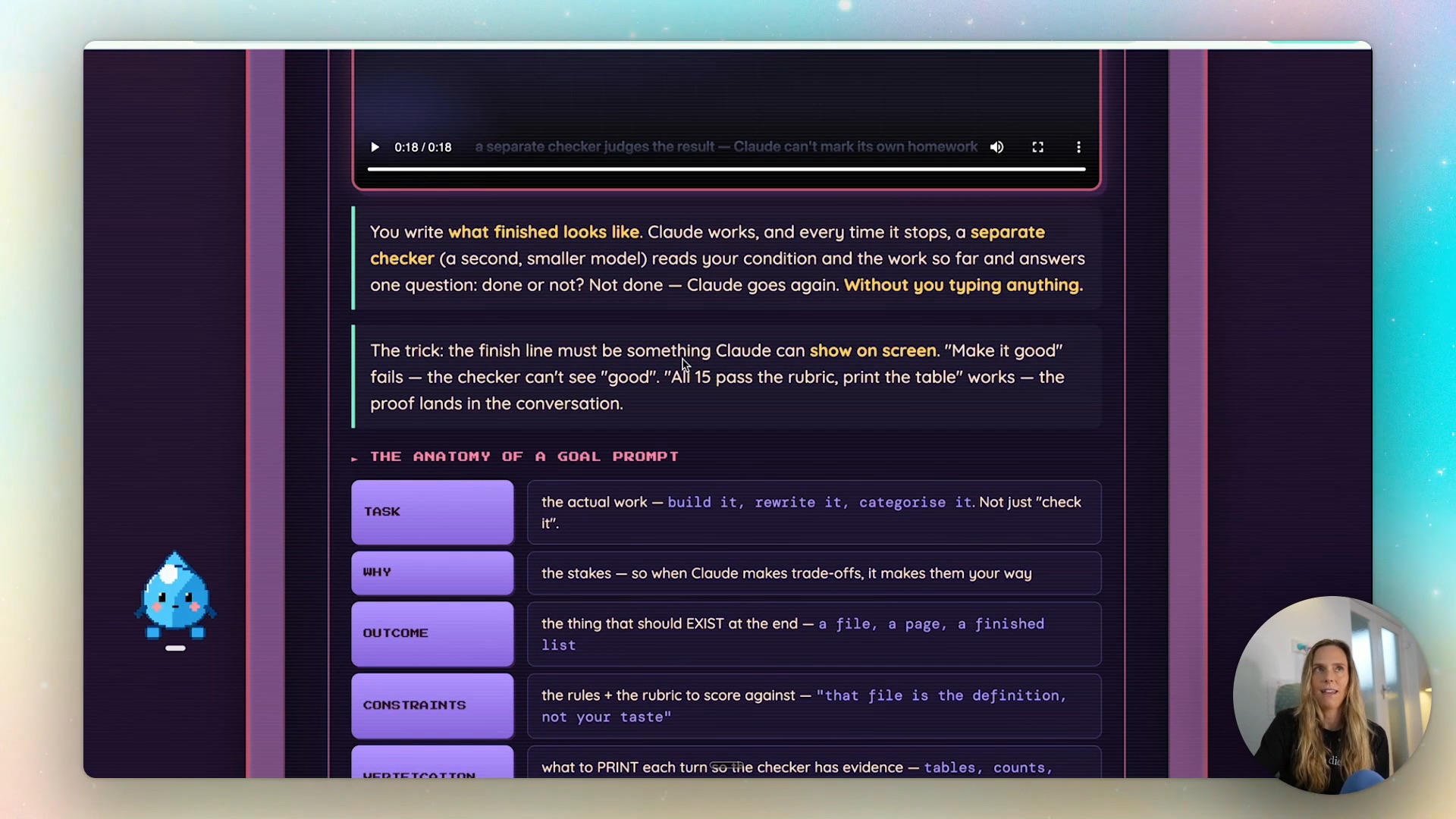
A goal moves you from prompting to outcome-based prompting. Claude Code uses a separate evaluator after a turn to judge the condition against the conversation. Anthropic documents Haiku as the default on its API, with provider differences. The evaluator does not inspect tools itself: the worker must surface the evidence. A passing verdict is only as useful as the completion criteria and evidence you asked for.
The trick is that "make it good" fails as a finish line — the checker can't see "good". It needs something concrete to verify against: a count, a score, a checklist. If you can count something, you can goal it.
Every transaction in the Xero report is categorised against my chart of accounts. Print the count of uncategorised rows each turn. Done is when it reaches zero. Stop after six turns.
That's a complete goal in three sentences. For bigger jobs, the full anatomy has six parts — task, why, outcome, constraints, verification, and a stop rule. (Credit where due: I picked this structure up from Sabrina Ramonov, who also has a great video on these features.)
I ran two goals on camera for this video. One built a full landing page for a free guide — hero, proof, FAQ, email signup, one CTA repeated three times — and verified its own sections against a rubric until everything scored nine-plus. The other rewrote 15 draft email subject lines until every one passed a subject-line rubric file. It kept the two lines that already passed (because the constraint said don't touch them), killed every Title Case line on the hard check, and rebuilt — not patched — a line containing banned marketing language. One line was 45 characters, one over my limit. The checker counted. I didn't have to.
Always give a goal a stop number. "Stop after six turns" means it can't spin forever if your finish line turns out to be fuzzy.
Loops — the watching-and-waiting tool
A loop re-runs your prompt on a schedule while your session is open. Waiting on a reply from the venue. Watching ticket sales on launch morning. Checking whether the email send has finished. Anything where the honest job description is "sit here and refresh".
/loop 30m — check the ticket sheet. If any tier has crossed 80% sold since the last check, flag me and draft an urgency post in my voice. Otherwise just say "no change".
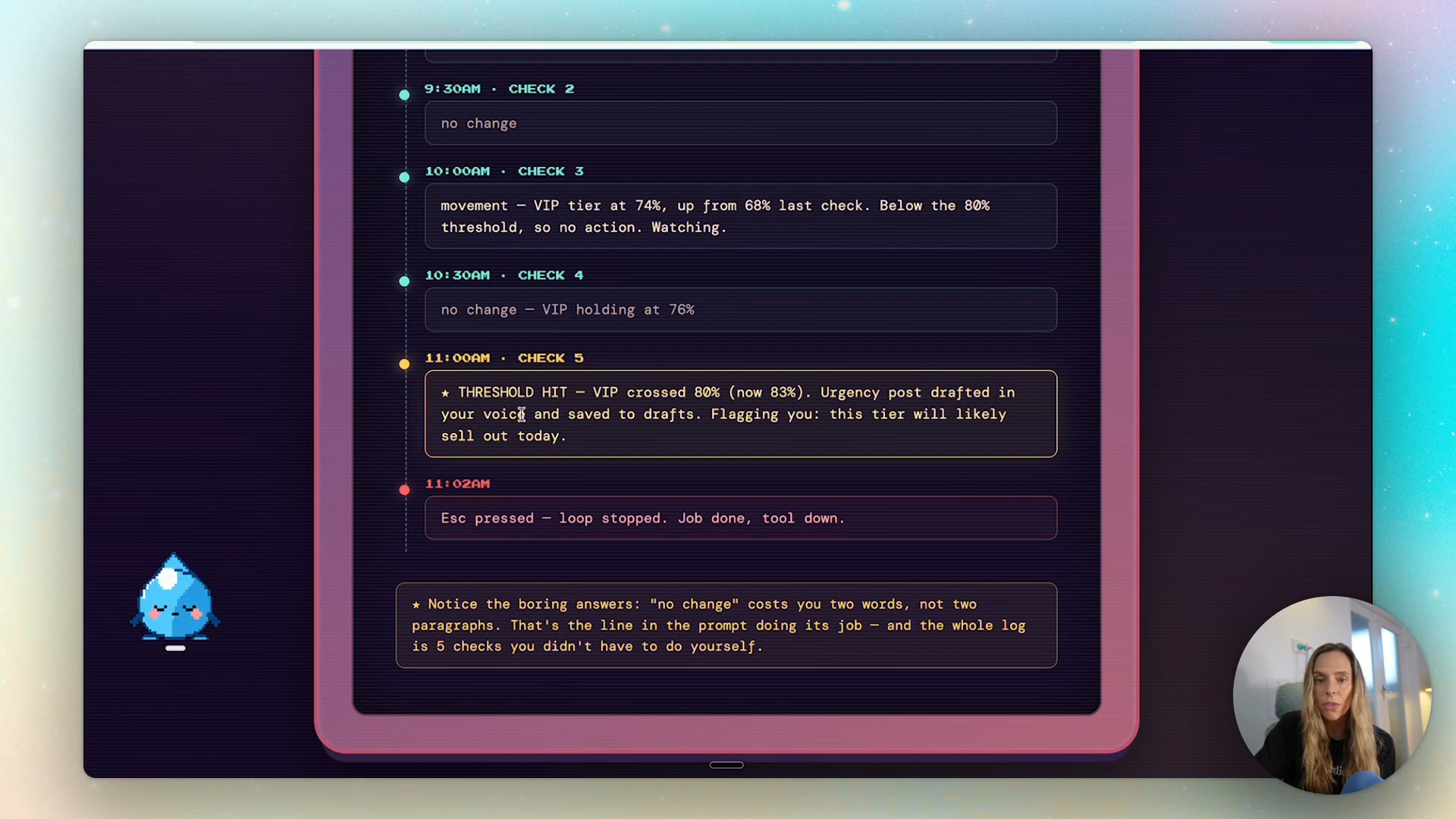
On launch morning that loop did five checks, gave me four boring "no change" answers, and at 11am flagged that the VIP tier had crossed 80% — with the urgency post already drafted and saved. I hit Escape at 11:02 and the loop stopped. Five checks I didn't have to do myself.
The house rules: loops only run while the session is open, recurring loops expire after seven days (so a forgotten loop can't run forever), they can fire up to 30 minutes late, and leaving the timer off lets Claude pick its own gap — checking often while things are moving, waiting longer when nothing's happening.
So what's the difference from a goal? In a loop, Claude marks its own homework. In a goal, an independent checker marks it against a finish line you wrote. Loops watch things; goals fix things. If you catch yourself wanting the loop to also make something good — you wanted a goal.
Routines — work that runs without you
Routines are where the Monday-morning story comes from. A routine is a saved prompt on a schedule that runs in the cloud, whether your laptop is open or not. Every run is a fresh Claude session with the same instructions. This is the difference from a cron job on your machine, which needs your computer switched on.
One catch worth knowing: cloud routines can't reach into your local files and folders — they're built around code repos, so anything in a GitHub repo is fair game.
My SEO health check is a real routine, running every Monday at 7am. It checks every live blog post on wrightmode.com against an on-page checklist — title length, meta description length, internal links — then writes a report with drafted fixes for the three worst pages. It never publishes anything. I review, then decide.
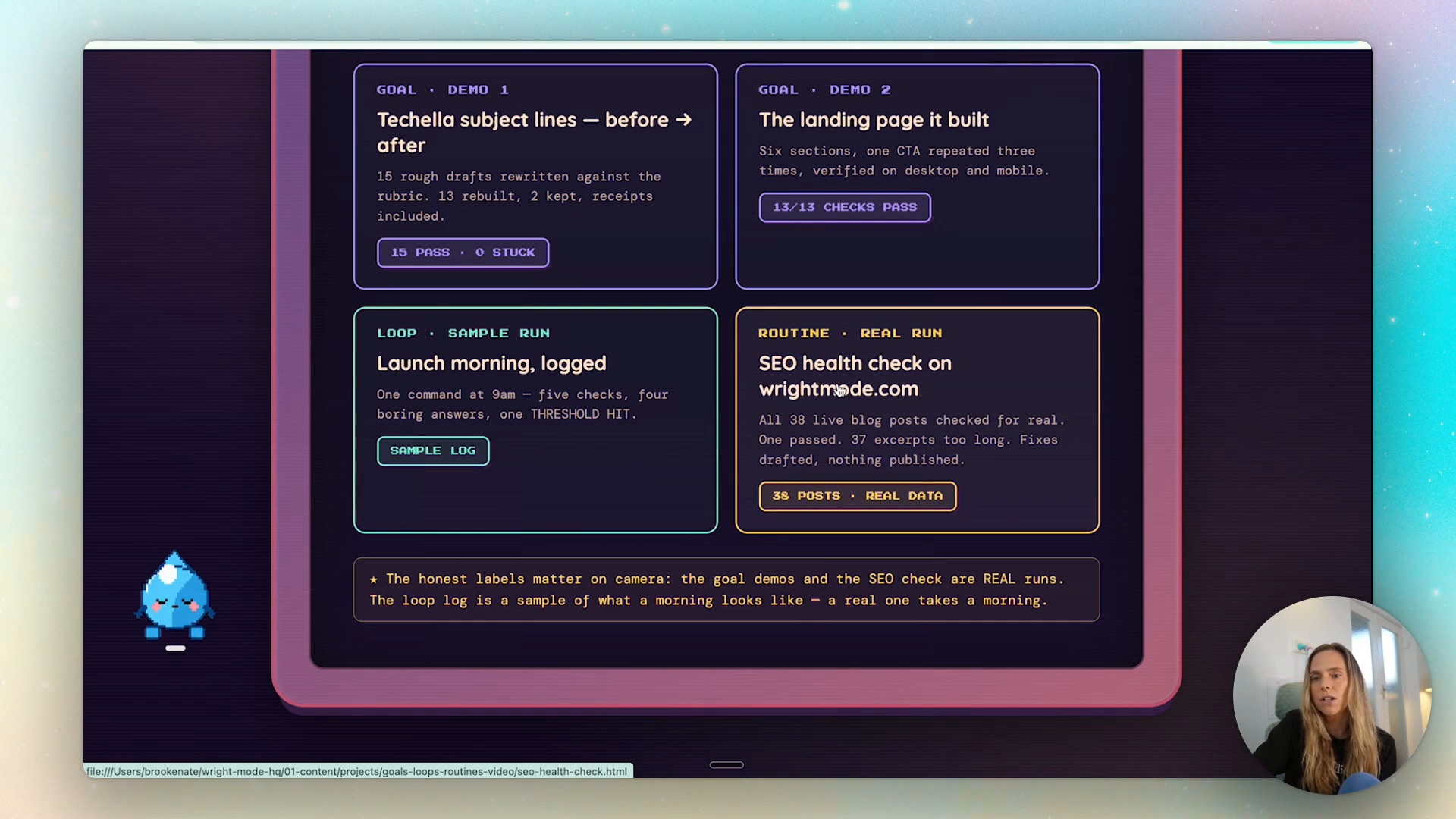
Notice what that routine doesn't promise: rankings. You can observe rankings weekly, but short periods are noisy and a checklist pass does not guarantee rankings. Verify the page changes, then compare search data over an appropriate period. (That's the same logic I unpack in AI strategy vs just using AI — you automate the checkable step, not the outcome you can't measure yet.)
Every unattended prompt needs three things:
- A failure instruction — no data? Say so and stop.
- A "don't" line — never send; drafts only.
- A boring answer for the nothing-happened case — "if everyone's active, just say so".
Write the routine’s job and finish condition in plain language. Do not assume typing an interactive slash command into a saved prompt executes that command. Skills also need to be available in that environment and permitted for automatic invocation; test a scheduled run rather than relying on a command name.
Combining them — where it gets powerful
Each feature hands off a different job, which means they stack:
- A loop running a skill — /loop 30m, run my competitor-watch skill. Anything you've taught Claude once becomes something it can re-do on a timer.
- A routine using a skill — weekdays 6am, check the inbox, use my email-drafter skill, never send, and if it's about pricing or a complaint, don't draft at all — just flag me.
- A routine with a finish line written in — goal behaviour, in plain words, on a schedule: "keep working until the brain-dump page is empty and every item has landed somewhere; print the before and after counts."
- The routine finds, the goal fixes — Monday’s routine flagged 37 pages against my checklist; that is not a Google judgement about those pages. Its job ends at the report. Then I point a goal at it: fix every failed check on the three worst pages, re-run the same six checks each turn, done when all three show zero fails, stop after five turns.
The routine handles the repeating. The goal handles the finishing. And you stay the human in the loop between the finding and the publishing — nothing goes live without you.
Which one do you need?
The cheat sheet:
- Does it have a finish line? Use a goal.
- Are you waiting on something? Try a loop.
- Would you have to remember to do it again? Use a routine.
And the one-line summary of the whole system: skills know how, goals define done, loops and routines decide when.
FAQ
What's the difference between a goal and a loop in Claude Code?
A goal has an independent verification agent that marks Claude's work against a finish line you defined — best when quality matters. A loop just re-runs your prompt on a timer while your session is open, and Claude decides "done" by looking at its own work — best for watching and waiting. Loops watch things; goals fix things.
Do Claude Code routines run when my computer is off?
Yes — routines run in the cloud, so they fire on schedule whether your laptop is open or not. The trade-off is that cloud routines can't access your local files and folders; they work with what's reachable from the cloud, like a GitHub repo. Local scheduled tasks (cron jobs) can touch your files but need your computer on.
Can I put a slash command like /goal inside a routine?
Do not rely on an interactive command being executed from a routine’s saved prompt. Describe the result and verification in plain language, and make any required skill available to the cloud environment. Test the first scheduled run and inspect its output.
Do I need to be technical to use goals, loops and routines?
No. All three are written in plain English — the skill is defining what "done" looks like in a way Claude can verify, not writing code. I built everything in the video, including a sales page that made real money, without writing a line of code myself.
Want the copy-paste prompts for all of this? The full goals, loops and routines kit is free at wrightmode.com/goals-loops-routines — every prompt from the video, ready to run. And if you want to build systems like this alongside other women doing the same, that's what the Wright Mode membership is for — become the AI expert in your industry, not the person still babysitting a chat window.